
Stop Buying Software Your Team Ignores: The Automation Handoff Checklist That Gets 80%+ Adoption in 30 Days
Service businesses waste thousands on automation that never gets used because teams don’t adopt new systems. This handoff checklist, built for operational leaders in field services, financial firms, law practices, and similar businesses, delivers 80%+ team adoption within 30 days by addressing buy-in before, during, and after implementation. Skip the shelf-ware cycle and turn new tools into operational advantage.
The High Cost of Automation Shelf-Ware in Service Businesses

You bought the CRM. You signed the contract for the field management platform. You invested in the scheduling system everyone promised would solve your follow-up nightmare. Three months later, your best technician still tracks jobs on a personal notepad, your sales team maintains a separate spreadsheet “just in case,” and customer follow-ups still live in someone’s email inbox. The software subscription renews monthly while your team ignores it completely.
This isn’t a technology failure—it’s a handoff failure. Be Known, LLC in Knoxville, TN specializes in paid acquisition for coaches and consultants, but the pattern holds across service businesses: the gap between purchasing automation and achieving team adoption creates the most expensive invisible drain in companies generating $750K to $5M annually. When your operations manager can’t answer basic questions about pipeline health without calling three people, that’s not a personnel problem. That’s a system that never launched properly.
Beyond the Purchase: The Real Investment in New Tech
The software purchase represents roughly 20% of the total investment required for successful automation adoption. The remaining 80% lies in change management, training, data migration, process documentation, and the ongoing support that transforms a tool from shelf-ware into operational infrastructure. Most service business owners discover this ratio backward—after the purchase, when resistance emerges and the system sits unused.
Consider the actual cost structure: a $500/month platform costs $6,000 annually in subscription fees. But the hidden costs compound rapidly. Lost productivity during the “should we use the old system or new system?” paralysis phase averages 15-20 hours per team member monthly. For a ten-person operation, that’s 200 hours of duplicated effort—roughly $6,000 in wasted labor at a conservative $30/hour blended rate. Add the revenue leaking from missed follow-ups during the transition, and a $6,000 software investment morphs into a $25,000+ operational tax.
The financial drain gets worse when you add in opportunity cost. Every month your team operates in chaos mode, manually tracking jobs, recreating customer histories from memory, chasing down quote follow-ups, is a month you cannot scale. You’re trapped in the exact catch-22 this automation was supposed to solve: too busy fighting fires to implement the system that would prevent fires.
Signs Your Team Isn’t Adopting New Systems
Adoption failure announces itself through specific operational symptoms. Your team still asks permission for decisions the new system should handle automatically. Customer data exists in three places—the new CRM, the old spreadsheet, and someone’s personal phone contacts. Team members describe the new platform as “glitchy” or “too complicated” even though the vendor’s other clients report smooth experiences with identical setups.
Watch for the spreadsheet resurrection pattern: weeks after launching new automation, someone creates a “temporary” tracking spreadsheet to “bridge the gap.” That spreadsheet becomes permanent infrastructure, duplicating the exact workflows the automation was purchased to eliminate. When questioned, the team member explains they “just needed something quick” or “couldn’t figure out how to do X in the new system.” This signals training gaps, not software deficiency.
The most expensive symptom appears in your reputation metrics. According to BrightLocal’s consumer review research, 87% of consumers read online reviews for local businesses, and response time directly impacts review sentiment. When your team ignores automated follow-up triggers because they don’t trust the new system, missed appointments and slow responses generate negative reviews that compound for years.
Preparing for Success: Laying the Groundwork Before Launch
Successful automation adoption begins weeks before anyone logs into the new platform. The preparation phase determines whether your $10,000 software investment becomes operational leverage or expensive shelf-ware. Service businesses that skip this groundwork experience adoption rates below 40%, while those that invest in proper preparation consistently achieve 80%+ adoption within the first month.
Start by acknowledging the fundamental truth: your team isn’t resisting technology—they’re resisting additional work layered onto existing chaos. If you launch new automation without reducing something else on their plate, you’re asking already-maxed people to adopt one more thing. They’ll nod in the training session, then default to familiar tools the moment pressure hits. Preparation means clearing space for the new system by identifying what stops when automation starts.
Involving Your Team Early: Fostering Buy-In, Not Resistance
Team buy-in starts with honest acknowledgment of current pain. Gather your key people—the dispatcher who tracks jobs, the lead technician who trains new hires, the office manager who handles billing—and ask what breaks weekly. Don’t pitch the new system yet. Just listen. Document the specific moments when current processes fail: the customer who called three times without callback, the job that was quoted but never followed up, the new hire who scheduled two technicians to the same address.
Once you’ve mapped current pain points, introduce the automation as the solution to their specific frustrations—not as a solution to your growth goals. Your operations manager doesn’t wake up motivated by your vision to scale from $2M to $5M. She wakes up dreading the phone call from an angry customer who fell through the cracks. Position the new system as her relief from that daily dread, and adoption becomes self-motivated rather than compliance-driven.
Identify your internal champions early. Every team has one or two people who get excited about efficiency improvements and new tools. These aren’t necessarily your highest performers or longest-tenured staff—often they’re mid-tenure employees frustrated by inherited chaos and eager for better systems. Recruit them as pilot users. Their peer endorsement carries more weight than any executive mandate.
Defining Clear Goals: What Success Looks Like for Your Business and Team Members
Vague goals like “better customer management” guarantee adoption failure. Success requires specific, measurable outcomes tied to daily operational wins. Define exactly what should happen differently 30 days after launch: every inbound call logged with automated follow-up assigned within 60 minutes, every completed job triggering a review request within 24 hours, every new hire accessing job history and customer notes without asking senior technicians.
Translate business-level goals into individual relief. Your business goal might be “reduce quote-to-close time by 40%,” but your sales team’s goal is “stop manually tracking which quotes need follow-up.” Your business goal might be “increase recurring revenue retention,” but your account manager’s goal is “know which clients haven’t been contacted in 60 days without building another spreadsheet.” This translation transforms automation from executive initiative to personal survival tool.
Document these goals in writing and share them during the preparation phase—not as aspirational vision, but as contractual commitment. You’re asking your team to invest cognitive energy learning new systems. In exchange, you’re committing that these specific frustrations will disappear. When the goals are clear and personal, team members become active adoption participants rather than passive training recipients.
Cleaning Up Data: Ensuring a Smooth Transition and Reliable New System
Garbage data in creates garbage system out. If your current customer records include duplicate contacts, disconnected phone numbers, incomplete service histories, and inconsistent naming conventions, migrating that mess into new automation guarantees immediate distrust. Your team will open the new CRM, find outdated information, and conclude the system “doesn’t work” before giving it a fair chance.
Allocate two to three weeks for data cleanup before migration. Deduplicate customer records, standardize naming conventions, verify contact information, and archive inactive accounts. This isn’t exciting work, but it’s the foundation of adoption. Clean data means your technician can trust the phone number in the new system. Accurate service history means your salesperson can reference past jobs without double-checking the old spreadsheet. Trust in data accuracy drives system usage.
Involve team members in the cleanup process—especially those who will use the system daily. Your lead dispatcher knows which customer records are accurate and which are legacy junk. Your senior technician can identify which service codes matter and which were someone’s abandoned experiment. Their cleanup participation builds familiarity with data structure before the new system launches, reducing the learning curve and increasing ownership.
The Essential Automation Handoff Checklist: Step-by-Step Adoption
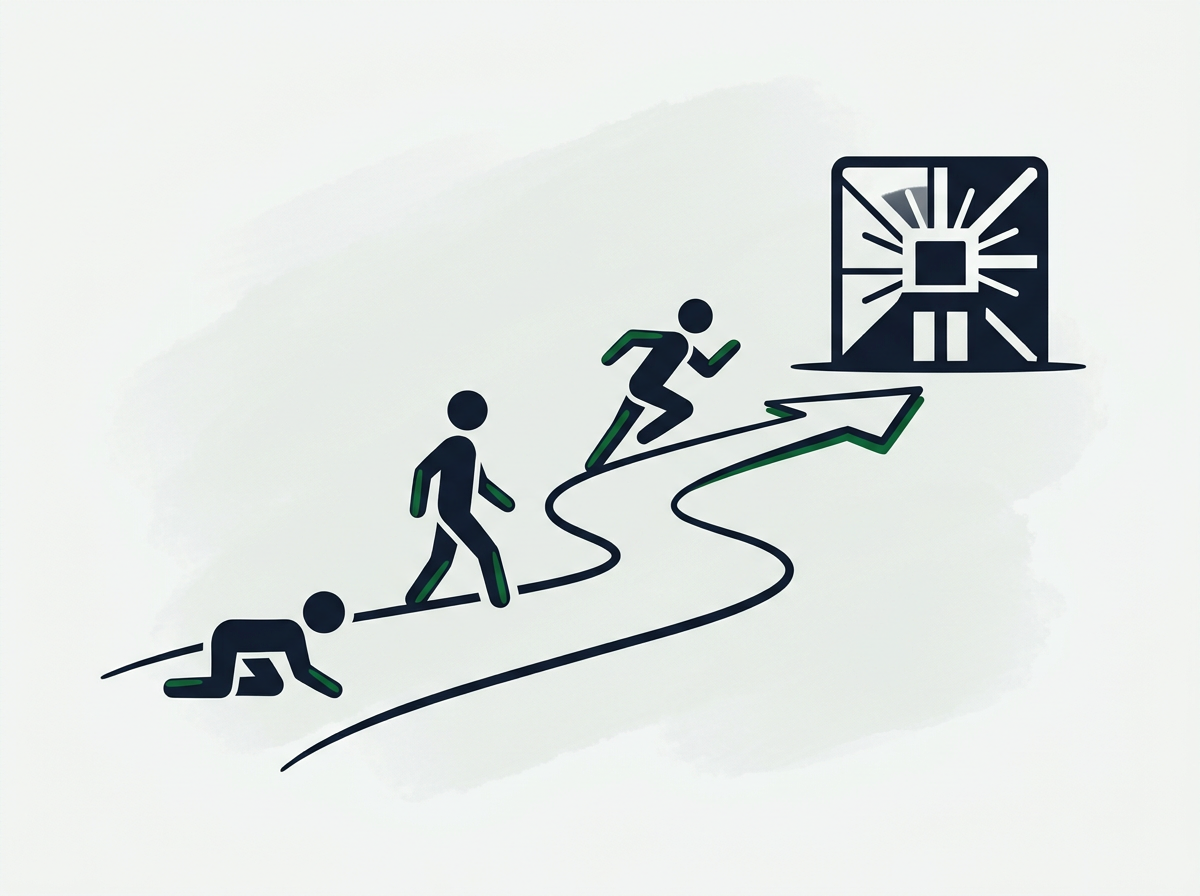
This checklist transforms software purchases into operational infrastructure. Each step addresses a specific adoption barrier, moving your team from skeptical observers to active users within 30 days. Skip steps and you’ll join the 60% of service businesses paying for systems their teams ignore. Follow the sequence and you’ll achieve 80%+ adoption while eliminating the operational chaos that’s kept you trapped.
Week 1: Foundation and Initial Training
Day 1-2: Comprehensive role-based training modules. Generic “here’s how the software works” training fails because it doesn’t match how your electrician, your scheduler, and your billing clerk actually use the system. Segment training by role. Your field technicians need to know how to access job details, update status, and trigger customer notifications—they don’t need billing module training. Your office manager needs billing and reporting depth—she doesn’t need field dispatch workflows. Role-specific training respects their time and focuses on tools they’ll actually use.
Day 3: Create accessible quick-reference resources. Your team won’t remember everything from the training session. They need just-in-time support when they hit a specific task: “How do I reschedule a recurring appointment?” or “Where do I find last year’s service notes for this customer?” Build a simple knowledge base with video clips (60-90 seconds each) demonstrating the ten most common tasks. Bookmark these resources in the system itself, where team members can access them mid-workflow without leaving the platform.
Day 4-5: Establish clear roles and system ownership. Ambiguity kills adoption. Designate exactly who owns what in the new system: who creates customer records, who updates job status, who processes payments, who handles system troubleshooting. When everyone owns everything, nobody owns anything—and critical tasks fall through cracks. Document these roles in a simple matrix that answers the question, “Who do I ask when X happens?” This eliminates the “figure it out yourself” frustration that drives teams back to familiar old tools.
Week 2: Phased Rollout and Parallel Processing
Day 6-8: Pilot group limited launch. Don’t flip the entire operation to the new system overnight. Select a pilot group—ideally your early champions plus one or two skeptics—and run them exclusively on the new platform while the rest of the team continues existing workflows. This controlled test exposes friction points before they affect the entire operation. Your pilot users become expert troubleshooters who can support broader rollout, and their success stories build confidence among remaining team members.
Day 9-12: Parallel processing with hard cutoff date. Once pilot feedback is incorporated, expand to full team while maintaining old systems for reference only. Set an explicit cutoff date—typically two weeks out—when old systems will be retired completely. During parallel processing, new customer inquiries and jobs go exclusively into the new system. Historical reference stays available in old systems, but no new data entry occurs there. This prevents the “maintain both forever” trap that guarantees long-term chaos.
Day 13-14: Data validation and reconciliation. Before the hard cutoff, validate that critical information migrated correctly. Spot-check customer records, verify service histories, confirm automated triggers are firing, and ensure reporting matches expected outputs. Small discrepancies discovered now prevent major trust issues later. Have your pilot team members perform these checks—they understand both systems and can quickly identify gaps or errors that might undermine broader adoption.
Week 3-4: Full Adoption and Optimization
Day 15: Hard cutoff and old system retirement. Turn off access to legacy systems on the announced date. This sounds harsh, but half-measures guarantee failure. When team members can still access the old spreadsheet or legacy CRM “just to check something,” they’ll default to it under pressure. Full cutoff forces adoption by eliminating the escape route. Expect some grumbling. Push through it. By day three post-cutoff, most resistance fades as team members realize the new system actually works.
Day 16-21: Daily stand-ups and rapid issue resolution. Schedule brief daily check-ins during the first full week of exclusive new-system usage. These aren’t training sessions—they’re troubleshooting forums. “What broke yesterday?” and “What’s still frustrating?” surface adoption barriers in real-time. Address issues within 24 hours. This responsiveness builds trust that leadership is committed to making the system work, not just forcing adoption. Research from McKinsey shows that leadership support and rapid issue resolution are among the top three factors determining successful organizational change.
Day 22-30: Performance monitoring and early wins celebration. Track usage metrics: login frequency, workflow completion rates, automated trigger success. Identify laggards early and provide one-on-one support before bad habits calcify. More importantly, publicize early wins. When the new system catches a follow-up that would have slipped through old processes, announce it. When a customer compliment mentions improved response time, connect it to the automation. When your operations manager takes a Friday off without the phone exploding, celebrate that as a system victory. These visible wins convert remaining skeptics and reinforce adoption among early adopters.
Customizing Training for Different User Groups
A 22-year-old tech-savvy scheduler and a 58-year-old master technician who’s run jobs on paper for three decades require completely different training approaches. Age and tech comfort matter, but role complexity matters more. Your customer-facing team members need confidence with public-facing features—they can’t afford to fumble through a customer call while learning the interface. Back-office staff can tolerate more exploration and trial-and-error learning.
Build three training tracks: field/mobile users, office/administrative users, and management/reporting users. Field training emphasizes mobile interface, offline capability, and quick status updates. Administrative training focuses on data entry accuracy, workflow triggers, and customer communication. Management training highlights reporting, dashboard interpretation, and system configuration. Team members attend their primary track plus relevant modules from other tracks, but the core focus matches their daily reality.
For team members who struggle with technology, assign a training buddy from the pilot group. Peer training reduces intimidation and provides patient support that formal training sessions can’t match. A fellow technician explaining “here’s how I do it” resonates more than vendor documentation or manager instruction. This buddy system also distributes support load, preventing the bottleneck where every question routes to one overwhelmed person.
Building a Knowledge Base for Ongoing Support
Your knowledge base should answer the question your team will ask six weeks after training: “How do I do that thing I did twice during training but haven’t touched since?” Structure it around tasks, not features. Don’t organize by “Settings Menu” or “Customer Module”—organize by “How to reschedule a recurring appointment” or “How to find service history for a customer.”
Prioritize video over text for procedural knowledge. A 90-second screen recording showing exactly where to click eliminates the ambiguity of written instructions. For quick reference facts like keyboard shortcuts, status code meanings, and approval thresholds, text-based FAQs work better. Mix formats based on content type. Update the knowledge base weekly during the first month as new questions emerge, then monthly once usage stabilizes.
Make the knowledge base searchable and accessible within the platform itself, not buried in a separate portal requiring additional login. The moment someone thinks “how do I…” they should be able to search and find the answer without leaving their current task. This reduces friction and prevents the “I’ll just figure it out later” deferrals that become permanent workarounds.
Post-Launch Support: Sustaining Adoption and Optimizing Performance
The first 30 days establish whether automation becomes operational infrastructure or expensive shelf-ware. But sustained adoption requires ongoing support, feedback loops, and continuous optimization. Service businesses that treat launch day as finish line watch adoption decay from 80% to 40% within six months as unaddressed friction points accumulate and workarounds calcify.
Dedicated Support Channels: Who to Ask When Issues Arise
Ambiguous support structures guarantee adoption failure. Your team needs to know exactly who to contact when the system behaves unexpectedly. Message broke during job scheduling, who fixes that? Customer data isn’t syncing to mobile, who do I tell? I need approval to override this automation rule, who grants that? When these questions lack clear answers, frustrated team members abandon the system and revert to manual processes.
Establish a two-tier support structure. Tier one: internal system champion (often your pilot group leader or operations manager) handles common questions, workflow clarification, and basic troubleshooting. Tier two: vendor technical support for platform bugs, integration issues, and configuration changes. Document exactly which issues route to which tier, including response-time expectations. Your internal champion should respond within two hours during business hours. Vendor support should acknowledge tickets within four hours and resolve within 24 hours for critical issues.
Create a dedicated support channel in your existing communication platform. A Slack channel, Teams group, or shared inbox where team members post questions and solutions become searchable history. This prevents the same question from being asked individually to different people five times. It also surfaces patterns. If three people ask the same question in one week, that’s a training gap requiring knowledge base update or workflow clarification.
Regular Check-Ins and Feedback Loops: Addressing Pain Points Proactively
Schedule monthly system review meetings for the first six months, then quarterly once adoption stabilizes. These aren’t training sessions—they’re feedback forums focused on “What’s still frustrating?” and “What’s working better than expected?” Bring usage metrics to these meetings: which features get heavy use, which sit ignored, where workflow completion drops off. Patterns in the data reveal adoption barriers that team members might not articulate spontaneously.
Track leading indicators, not just lagging outcomes. Don’t wait for customer complaints or revenue drops to discover adoption problems. Monitor login frequency, workflow completion rates, automation trigger success rates, and data quality scores. Declining login frequency among specific team members signals emerging resistance. Incomplete workflows indicate training gaps or process friction. Failed automation triggers reveal configuration issues or data problems. Catching these patterns early prevents small adoption gaps from becoming permanent workarounds.
When feedback surfaces legitimate system limitations—”I can’t do X, which I need weekly”—respond within one business day with either a solution or an explanation. If the platform truly can’t handle the requirement, document the workaround and assess whether it’s sustainable or whether the limitation justifies platform change. If the platform can handle it but requires configuration change, implement within one week. Speed of response signals whether leadership is truly committed to making the system work or just forcing adoption for adoption’s sake.
Celebrating Small Wins: Recognizing Team Efforts and Successful Transitions
Behavioral change requires reinforcement. Every week during the first two months, identify and publicize one specific win enabled by the new automation: the follow-up that closed a job, the caught appointment conflict that prevented a service failure, the customer review that mentioned improved communication, the Friday afternoon when the owner left early because systems handled operations. Connect these wins explicitly to team adoption effort, not just system capability.
Recognize individual adoption milestones publicly. When your most skeptical technician completes his first full week using mobile job updates exclusively, acknowledge it. When your longtime office manager who “isn’t a computer person” masters the reporting dashboard, celebrate it. When your operations manager takes her first full vacation in three years without a crisis call, attribute it to systems that finally run without her. These public recognitions reinforce that adoption effort is seen, valued, and rewarded.
Tie compensation or incentives to adoption metrics during the transition period if resistance persists despite proper support. This sounds heavy-handed, but it clarifies expectations. If system usage is truly non-negotiable for business operations, compensation should reflect that reality. A simple structure: 100% of quarterly bonus requires 90%+ compliance with system usage standards. This aligns personal incentive with organizational need and eliminates the “I’ll use it when I feel like it” middle ground that guarantees long-term chaos.
Monitoring Usage and Performance Metrics
Effective monitoring requires both system usage data and outcome metrics. System usage includes login frequency, time spent in platform, features accessed, workflows completed, and data entry consistency. Outcome metrics include customer response time, quote-to-close duration, recurring revenue retention, customer satisfaction scores, and operational margin per job. Track both categories because strong usage without outcome improvement suggests configuration problems, while strong outcomes with weak usage suggests the right people are using the system but broader adoption is missing.
Build a simple weekly dashboard showing the five metrics that matter most for your business. For field service operations, this might include: percentage of jobs logged in system within one hour of completion, average customer response time, automated follow-up completion rate, recurring service renewal rate, and team member login frequency. Review these metrics in your weekly leadership meeting and use them to guide support focus: if mobile login rates are low, that’s a training or tool issue requiring attention.
Don’t over-monitor to the point of micromanagement. You’re tracking patterns to identify support needs, not policing individual compliance minute-by-minute. If a trusted technician has low login frequency but high job completion rates, investigate before concluding there’s a problem—he might be batching updates efficiently rather than logging in constantly. Context matters. Metrics reveal where to look, not necessarily what to conclude.
Iterative Improvements Based on Team Feedback
No automation implementation is perfect at launch. Plan for configuration adjustments, workflow tweaks, and integration refinements based on real-world usage. The difference between 60% adoption and 90% adoption often comes down to small friction points: a required field that slows data entry without adding value, an approval workflow with one unnecessary step, a report that requires three clicks when it should be one. These seem minor in isolation, but accumulated friction drives teams back to manual processes.
Implement a monthly improvement cycle: collect feedback in weeks one and two, prioritize changes in week three, implement and test in week four. Show your team that their input drives tangible changes. When someone suggests “it would save time if we could…” and that change appears the following month, adoption accelerates because the team sees the system evolving to serve their needs rather than forcing them to adapt to rigid requirements.
Some requested changes will be impossible or inadvisable. Acknowledge those honestly and explain why. We can’t eliminate that approval step because it’s required for insurance compliance. That integration would cost more than the value it provides. Transparency about limitations builds more trust than promising everything. Your team respects honest constraints more than enthusiastic commitments that never materialize. Learn how to identify which automation investments deliver measurable operational advantage rather than adding complexity without proportional return.
Overcoming Resistance: Strategies for Reluctant Team Members
Even with perfect preparation, training, and support, some team members will resist new systems. This resistance rarely stems from inability—it’s usually about loss of control, fear of obsolescence, or exhaustion from past failed implementations. Addressing resistance requires diagnosing the root cause rather than dismissing resisters as “difficult” or “not team players.”
Addressing “The Way We’ve Always Done It”: Highlighting Benefits and Ease
The longest-tenured team members often resist hardest because they’ve built expertise around existing processes. Your 15-year master technician who can diagnose problems other people miss doesn’t want to spend cognitive energy learning new software when his current system—paper and memory—works perfectly for him. He’s not wrong about his personal efficiency, but he’s missing the organizational cost: knowledge trapped in his head, new technicians unable to learn from his work, customer history lost when he’s unavailable.
Frame automation as amplifying expertise rather than replacing it. The new system doesn’t diminish his diagnostic skill—it makes that skill available to the entire team. When he logs job notes in the platform, the next technician who visits that customer benefits from his insights. When he updates customer equipment details, the sales team can recommend upgrades accurately. Position the system as “how we scale your expertise” rather than “we’re changing how you work.”
For resistance rooted in past implementation failures—”We tried something like this before and it was a disaster”—acknowledge that history explicitly. “Yes, the last CRM failed because we didn’t train properly and leadership stopped using it first. This time we’re doing X, Y, and Z differently.” Specificity about what’s different builds credibility. Generic “this time will be better” promises don’t overcome justified skepticism born from previous shelf-ware cycles.
Providing One-on-One Coaching for Those Struggling
Group training works for the middle 70% of your team. The top 15% learn faster than the group pace and get bored. The bottom 15% fall behind and hide their confusion rather than slowing everyone down. Those struggling team members need individual coaching that meets them where they are without public embarrassment.
Identify struggling users early through usage metrics: incomplete workflows, low login frequency, error rates above team average. Reach out privately: “I noticed you haven’t used the mobile app much—are you hitting any roadblocks I can help with?” This opens the door for honest admission that group training moved too fast or that they’re intimidated by technology generally. Once the barrier is named, you can address it directly with patient one-on-one walkthrough of the specific workflows they’ll use daily.
Pair struggling users with patient peer mentors—not the fastest tech adopters, but the most patient teachers. Sometimes the barrier isn’t skill but communication style. A team member who shut down when the manager explained something might open up when a peer demonstrates the same task. Peer teaching also reinforces the mentor’s own adoption, creating a positive cycle where teaching deepens understanding.
Demonstrating Time Savings and Reduced Manual Effort
Resistance softens when team members experience personal time savings. Build this into early usage by selecting automation workflows that immediately eliminate annoying manual tasks. If your technicians currently write job notes on paper, then retype them into emails, then file physical copies—automate the email and filing steps first. That immediate relief from duplicate work builds goodwill for learning more complex features later.
Quantify time savings in personal terms, not abstract efficiency gains. “This automation will save the company 40 hours monthly” doesn’t motivate individual adoption. “You’ll get 30 minutes back every day you used to spend manually following up on quotes” motivates because it’s concrete and personal. Track time savings for individual team members and report back: “Since you started using automated appointment reminders, you’ve saved approximately six hours you used to spend on confirmation calls.”
Connect time savings to quality of life improvements where possible. Your senior technician might not care about corporate efficiency metrics, but he does care about getting home for dinner instead of staying late to file paperwork. Your operations manager might not care about abstract scalability, but she desperately wants to take a vacation without working remotely. When automation delivers those personal wins, resistance transforms into advocacy.
The Role of Leadership in Championing Change
Leadership adoption predicts team adoption with near-perfect correlation. If you mandate new systems for the team while you continue using email and phone calls to run operations, your team concludes the system isn’t actually important—it’s just another hoop to jump through. Your behavior signals priorities more powerfully than any mandate or training session.
Use the new system exclusively for all business operations where it applies. Pull reports from the platform, not from team members who compile manual spreadsheets. Reference customer histories from the CRM during meetings, demonstrating reliance on system data. When you need to know job status, check the platform publicly rather than texting your operations manager for manual update. These visible behaviors communicate that the system is infrastructure, not optional tooling.
When the system frustrates you—because it will—resist the urge to bypass it and revert to old methods. Instead, voice the frustration and work through the solution using proper channels: “This report doesn’t show what I need. Let’s figure out how to configure it correctly.” Your team watches how you handle friction. If you bail to old methods when things get hard, they’ll do the same. If you persist and solve problems within the new system, they’ll match that commitment.
Incentivizing Adoption Through Recognition and Rewards
Some team members respond to mission and purpose. Others respond to recognition. Still others respond to compensation. Effective adoption strategies layer all three. Recognition comes through public acknowledgment of early adopters and successful transitions. Purpose comes through connecting system usage to customer experience improvements and business growth. Compensation comes through tying bonuses or raises to system usage compliance during the transition period.
Structure adoption incentives to reward behavior change, not just outcomes. Don’t wait for perfect system usage to recognize effort—acknowledge progress. “Great job completing your first week logging all jobs in real-time” matters even if data quality isn’t perfect yet. Incremental recognition sustains momentum through the awkward learning phase where effort is high but results aren’t yet visible.
Consider team-based incentives that create peer accountability. If the entire team hits 90% system compliance for a month, everyone gets a bonus or extra PTO day. This structure motivates high-adopters to support struggling teammates rather than leaving them behind. It also prevents the dynamic where a few resisters drag down overall adoption while high-performers get frustrated that effort isn’t shared equally. Discover how operational systems create the foundation for profitable growth by eliminating the bottlenecks that keep you personally trapped in daily firefighting.
Keep reading: see all of our business automation & systems guides, or talk with us about your own setup.
FAQs
How long does it typically take for a service business team to fully adopt new automation?
With proper preparation and handoff execution, 80%+ adoption occurs within 30 days. Full optimization where the system becomes second nature typically takes 60-90 days. Businesses that skip structured onboarding often see adoption stall at 40-50% indefinitely, creating permanent dual-system chaos that undermines the automation investment.
What’s the biggest mistake service businesses make when implementing new automation?
Treating software purchase as the finish line rather than the starting line. Leaders assume that buying the platform solves the problem, without investing in training, data cleanup, change management, and ongoing support. This creates expensive shelf-ware where teams ignore sophisticated tools because proper handoff never occurred.
How do we handle team members who refuse to use the new system despite training and support?
First, diagnose whether refusal stems from inability, fear, or defiance. Provide additional one-on-one coaching for skill gaps. Address fear through peer mentoring and small wins. For persistent defiance after genuine support, set clear compliance expectations tied to continued employment. Systems are infrastructure, not optional preferences.
Should we run old and new systems in parallel, or cut over completely?
Brief parallel processing (10-14 days maximum) allows validation and confidence building, but extended parallel operation guarantees failure. Teams default to familiar tools under pressure. Set a hard cutoff date, communicate it clearly, and retire legacy systems completely. Temporary discomfort beats permanent dual-system chaos.
How do we measure whether our automation investment is actually working?
Track both usage metrics and outcome improvements. Usage includes login frequency, workflow completion rates, and data entry consistency. Outcomes include customer response time, quote-to-close duration, recurring revenue retention, and operational margin. Strong usage without outcome improvement suggests configuration problems requiring attention.
What if our team says the new system is too complicated or doesn’t fit our workflows?
Distinguish between legitimate design problems and learning curve resistance. If multiple team members struggle with the same specific workflow, that’s likely a configuration issue requiring adjustment. If complaints are vague “it’s too hard” without specifics, that’s usually normal change resistance requiring patience and coaching, not platform change.
How much should we customize automation platforms versus using out-of-box configurations?
Start with standard configurations during initial adoption, then customize based on real usage patterns. Extensive pre-launch customization often optimizes for imagined workflows that don’t match reality. Launch lean, gather data on how your team actually uses the system, then customize iteratively to reduce friction and improve adoption.
Stop Paying for Software Your Team Ignores
The automation handoff checklist outlined here transforms software purchases from expensive shelf-ware into operational infrastructure that reduces chaos, stops revenue leaks, and finally frees you from being the last line of defense for every business decision. Successful adoption requires more than training—it demands strategic preparation, role-based implementation, ongoing support, and leadership commitment to working through friction rather than around it.
Your service business doesn’t need more software. It needs systems that your team actually uses daily, reducing the operational dependencies that keep you trapped. Every month you operate with ignored automation is a month paying subscription fees while maintaining the manual chaos those systems were purchased to eliminate. Start building operational systems that run your business instead of requiring personal heroics to prevent daily failures.
Sources & references
- According to BrightLocal's consumer review research — brightlocal.com