
AI quiz lead magnets convert at 40–45%, three to four times higher than static PDFs. Coaches and consultants use AI-built quizzes to segment prospects by pain, readiness, and budget in 5–15 minutes, then route high-intent leads straight to booked calls while nurturing others. Paid acquisition for coaches and consultants scales faster when quiz data feeds retargeting audiences and optimizes cost per qualified lead.
Why Quiz Lead Magnets Outperform PDFs by 3–4×
AI quiz lead magnets convert 40–45% while PDFs convert 10–15%. Interact reports a 40.1% benchmark opt-in rate and Jotform cites 41.4%. The lift comes from three forces: commitment escalation, curiosity gaps, and social proof. Each answered question increases perceived investment. Quiz-takers want their personalized result. Results feel like objective assessments.
Completion rates of 50–65% turn 20–30% of quiz starters into qualified leads when the email gate appears after submission. Timing matters. Gating before the quiz drops start rates 40–60%. Gating after captures warmer prospects who self-identify their needs.
Conversion Comparison: Quizzes vs. Other Lead Magnets
| Lead Magnet Type | Opt-In Rate | Qualified Lead % |
|---|---|---|
| PDF or Ebook | 10–15% | 5–8% |
| Checklist | 15–20% | 8–12% |
| Email Course | 18–25% | 10–15% |
| Interactive Quiz | 40–45% | 20–30% |
Higher opt-in rates mean more leads from the same ad budget. Higher qualified-lead percentages reduce wasted call time and boost close rates. For paid acquisition, quiz advantages compound across the funnel.
How Interact and Jotform Benchmarks Apply to Coaches
Interact’s 40.1% and Jotform’s 41.4% reflect general lead-generation quizzes. Coaches and consultants hit the upper end when quiz questions align with pain points and result pages deliver real diagnostic value. A quiz titled “What’s Blocking Your Revenue Growth?” beats “What’s Your Business Personality Type?” for consultants selling strategic advisory.
Quiz lead magnets attract cold traffic with low-friction interaction. They pre-qualify people with behavioral data that static downloads never reveal. This makes quizzes ideal for Facebook, Instagram, and Google ads. They help coaches get qualified leads at sustainable cost per acquisition.
How AI Cuts Quiz Build Time from Days to Minutes
Traditional quiz development takes three to five days. You write questions, map answer paths, draft result variants, design the page, and configure emails. AI quiz builders compress this into 5–15 minutes by generating questions, logic, result copy, and follow-up sequences from one prompt.
Platforms like Interact, ScoreApp, and Jotform integrate AI workflows that auto-generate quiz outlines based on your audience and outcome. Custom ChatGPT prompts produce quiz frameworks instantly. This speed lets coaches A/B test weekly instead of monthly, accelerating paid acquisition optimization.
Step-by-Step AI Prompt Framework: 15-Minute Quiz
Use this structure with ChatGPT or a platform AI to generate a complete draft:
- Define the audience: “I help [audience] who struggle with [pain point] achieve [outcome].”
- Set the quiz goal: “This quiz segments respondents by [dimension 1] and [dimension 2], then routes them to a call booking page if they score high on [readiness indicator].”
- Request deliverables: “Generate 7 multiple-choice questions that reveal [pain intensity], [business stage], and [budget proxy]. Write four result categories with personalized copy. Include a three-email follow-up sequence per result.”
Review the output, adjust tone or jargon, and copy into your quiz builder. Total time: 10–12 minutes from prompt to published quiz.
Comparing Interact, ScoreApp, Jotform for Speed
- Interact: Highest conversion (40.1%), robust CRM integrations, visual builder. Best for coaches running paid acquisition who want speed and proven performance.
- ScoreApp: Advanced scoring for consultants needing granular pre-qualification. Ideal for complex service tiers or agencies with diverse clients.
- Jotform: Budget-friendly, flexible for custom workflows. Connects to thousands of apps via Zapier. Best for full design control with existing email or CRM stacks.
Be Known typically recommends Interact for speed and conversion, paired with custom AI prompts for content.
Designing Quiz Categories That Pre-Qualify Sales Calls
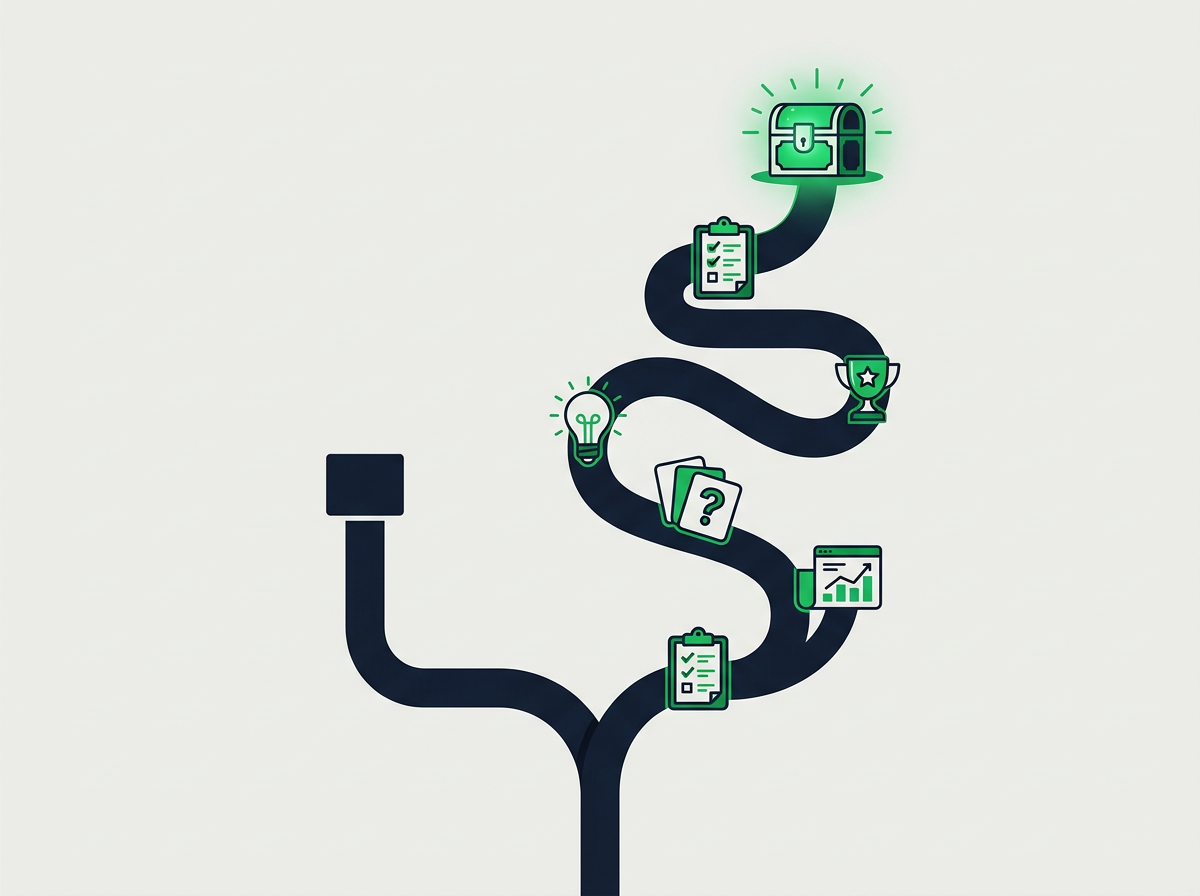
Pre-qualification happens when quiz results map people to sales-readiness segments before anyone picks up the phone. Balance three dimensions: pain intensity (critical vs. nice-to-have), business stage (startup, scale-up, enterprise), and budget proxy (current spend, team size, revenue band).
Each result bucket triggers a specific action. High-intent leads with critical pain and enterprise budget go to a calendar page. Mid-tier respondents with moderate pain get a case study. Low-readiness prospects enter an email sequence.
Sample Quiz Result Matrix
| Pain Intensity | High Readiness | Low Readiness |
|---|---|---|
| Critical | Result A: “Red Zone” Book strategy call now |
Result B: “Warning Zone” Download case study + 3-email nurture |
| Nice-to-Have | Result C: “Growth Zone” Watch ROI demo + calendar link |
Result D: “Planning Zone” Join email course + retargeting pixel |
Segment A is your highest-priority call list. Segment D enters long-term nurture and feeds lookalike audiences for paid acquisition. No lead is wasted. Sales teams focus on genuine intent and budget authority.
Conditional Logic for Result-Specific CTAs
Modern quiz platforms support conditional logic that shows result-specific CTAs without manual sorting. Configure your builder to display:
- Calendar embed for high-intent results: Integrate Calendly, Acuity, or TidyCal on result pages for segments A and C.
- Content offer for mid-tier results: Gate a case study or video training behind email opt-in for segment B.
- Nurture sequence for low-readiness results: Tag segment D in your CRM and trigger a 5–7 email educational series.
This automation ensures every quiz-taker gets a relevant next step. For coaches running paid acquisition at scale, conditional CTAs cut cost per booked call 30–50% versus one-size-fits-all result pages.
Connecting Quiz Data to Paid Acquisition Campaigns
Quiz data becomes a strategic asset when connected to your CRM, ad platforms, and calendar. The workflow starts with UTM parameters and tracking pixels, continues through CRM tagging by outcome, and ends with custom audience exports for retargeting and lookalikes.
High-intent quiz segments exported as custom audiences in Facebook Ads Manager or Google Ads enable tailored retargeting. A consultant who scored “Red Zone” sees ads that stress urgency. A “Planning Zone” prospect sees educational content and case studies. Message-to-market alignment improves click-through rates and lowers cost per acquisition.
Five-Step Workflow: Quiz to Booked Call
- Quiz completion fires a tracking pixel: Facebook Pixel, Google Analytics event, or LinkedIn Insight Tag captures completion and result category.
- Email opt-in creates a CRM contact: Integrate quiz platform with HubSpot, ActiveCampaign, or your CRM via native API or Zapier.
- Quiz result determines CRM tag: High-intent leads get “Hot Lead – Book Call”; mid-tier get “Warm Lead – Nurture”; low-readiness get “Cold Lead – Long Nurture.”
- CRM triggers follow-up automation: Hot leads receive calendar booking SMS and email within five minutes. Warm leads enter three-email case-study sequence. Cold leads join weekly newsletter.
- CRM exports custom audiences weekly: Export tagged segments to ad platforms for retargeting and lookalike creation, feeding paid acquisition with pre-qualified profiles.
Track cost per quiz starter, cost per qualified lead (CPQL), and cost per booked call by segment to optimize ad spend on the most valuable profiles. Coaches using this workflow with Be Known often see CPQL drop 40% within 30 days as quiz-based segmentation improves targeting.
Best Practices for Quiz Questions and Result Pages
Question design and result framing determine whether quiz-takers complete and take the next action. Keep quizzes to 5–10 questions to maintain 50–65% completion rates. Longer quizzes increase drop-off, especially on mobile where most coaching traffic originates.
Gate the email opt-in after the quiz, not before. This timing captures warmer leads who’ve invested effort and want their result. Pre-quiz gates reduce start rates 40–60% versus post-quiz gates.
Quiz Question Formula: Diagnostic + Psychographic + Budget
Structure questions to collect three data types:
- Diagnostic questions reveal current situation and pain intensity. Example: “Which statement best describes your revenue trend over the last six months?” (Growing 20%+, Flat or declining, Inconsistent month-to-month).
- Psychographic questions uncover motivations and decision style. Example: “What’s your biggest concern about hiring a consultant?” (Cost, Finding the right fit, Time commitment, Unclear ROI).
- Budget proxy questions filter by spending capacity without asking directly. Example: “How many team members do you have?” (Just me, 2–5, 6–15, 16+) or “What’s your monthly marketing spend?” (Less than $1K, $1K–$5K, $5K–$20K, $20K+).
Each question should serve a pre-qualification purpose. Avoid filler. If a question doesn’t help you decide whether someone is a fit, remove it.
How to Write Result Copy That Drives Bookings
Result pages convert when they deliver insight, validate the respondent’s experience, and present your offer as the natural solution. Use this three-part structure:
- Name the result with outcome-based language: “Your Business Is in the Red Zone: Revenue Growth Is Stalled and Time Is Running Out.” Avoid generic labels like “You’re Type A.” Describe the situation, not the person.
- Explain what the result means: “You’re experiencing [symptoms] because [cause]. This typically happens when [context]. The risk is [consequence if unaddressed].”
- Position your service as the solution: “The fastest path to [outcome] is [your methodology]. In a 60-minute strategy call, we’ll map a custom plan to [result] within [timeframe]. Book your call now.” Include social proof (testimonials, case snippets) and a clear CTA button.
For mid-tier results, offer a content asset: “Download our case study showing how [similar client] achieved [result] using [process].” For low-readiness, invite them to your list: “You’re not quite ready for a strategy call yet. Join our weekly newsletter to learn the foundational strategies that will prepare your business for rapid growth.”
Measuring ROI: Quiz Conversion Metrics
Track four core funnel KPIs: start rate, completion rate, opt-in rate, and qualified-lead rate. Benchmark against industry standards to find weak points.
- Start rate: Percentage of landing page visitors who begin the quiz. Target 25–35% for cold paid traffic, 40–55% for warm retargeting.
- Completion rate: Percentage of starters who finish. Benchmark 50–65% for 5–10 question quizzes. Below 50% signals too many questions or confusing answers.
- Opt-in rate: Percentage of completers who give their email. Benchmark 40–45% when gated post-completion. Lower rates suggest weak result positioning or trust concerns.
- Qualified-lead rate: Percentage of opt-ins meeting your sales criteria. Benchmark 20–30% for well-designed pre-qualification quizzes.
Calculate cost per quiz starter and cost per qualified lead from paid traffic. Compare against static lead magnets to measure the quiz lift. Coaches running quizzes with Be Known see 30–40% lower CPQL versus PDF funnels.
Scaling with Paid Traffic: Testing and Optimization
Test quiz angles weekly. Run two to three quiz variants targeting different pain points or audience segments. Measure start rate, completion rate, and CPQL for each. Keep the winner, retire the loser, launch a new test.
Use quiz completion data to build lookalike audiences. Export completers or high-intent segments as seed audiences. Facebook and Google will find similar profiles. This expands your reach with pre-qualified targeting.
A/B Testing Roadmap for Quiz Funnels
- Week 1: Test two quiz titles on the same landing page. Example: “What’s Blocking Your Revenue Growth?” vs. “Discover Your Business Growth Stage.”
- Week 2: Test question order. Start with diagnostic vs. start with psychographic.
- Week 3: Test result page CTAs. Calendar embed vs. video case study.
- Week 4: Test follow-up email sequences. Three-email nurture vs. five-email nurture for mid-tier results.
Track cost per booked call for each variant. Scale ad spend on the combination that delivers the lowest cost and highest show rate.
Launch Roadmap: 30-Day Quiz Funnel Plan
This plan takes you from zero to live quiz funnel in 30 days.
Week 1: Build and Test
- Day 1–2: Write AI prompt and generate quiz questions, logic, result copy, and emails.
- Day 3–4: Build quiz in Interact, ScoreApp, or Jotform. Connect to CRM and email tool.
- Day 5–6: Design landing page and result pages. Add tracking pixels.
- Day 7: Launch to warm audience (email list, social followers) to test completion rate and opt-in rate.
Week 2: Optimize and Integrate
- Day 8–10: Review completion rate. If below 50%, shorten quiz or clarify questions.
- Day 11–12: Review opt-in rate. If below 40%, strengthen result copy or add social proof.
- Day 13–14: Set up CRM tagging and follow-up automation for each result segment.
Week 3: Launch Paid Traffic
- Day 15–17: Launch cold Facebook or Google ads to quiz landing page. Budget $20–$30/day.
- Day 18–20: Monitor start rate, completion rate, CPQL. Adjust ad creative or landing page headline if start rate is below 25%.
- Day 21: Export quiz completers as custom audience. Launch retargeting campaign.
Week 4: Scale and Iterate
- Day 22–24: Build lookalike audience from high-intent quiz completers. Test new cold campaign.
- Day 25–27: Launch second quiz variant to test different pain point or audience segment.
- Day 28–30: Compare CPQL and cost per booked call across both quizzes. Scale winner, retire loser.
Common Pitfalls and How to Avoid Them
Avoid these mistakes when building AI quiz lead magnets:
- Too many questions: Keep it to 5–10. Longer quizzes drop completion rates below 50%.
- Gating before the quiz: Gate after completion to capture warmer leads. Pre-quiz gates cut start rates 40–60%.
- Generic result copy: Personalize each result with specific symptoms, causes, and next steps. Generic results reduce perceived value.
- No follow-up automation: Set up email sequences for each segment. Manual follow-up doesn’t scale.
- Ignoring quiz data: Export segments to ad platforms. Quiz completers are your highest-value audiences for retargeting and lookalikes.
Layering Quizzes into Multi-Step Funnels
Advanced funnels use quizzes as a mid-funnel qualifier, not the first touch. Here’s a four-step sequence:
- Cold ad leads to landing page: Download free guide (opt-in).
- Email sequence delivers guide: Invites prospect to take quiz.
- Quiz segments prospect: Presents result-specific CTA.
- High-intent results book a call: Mid-tier watch case study; low-readiness enter extended nurture.
This approach warms prospects before asking them to invest time in a quiz, raising completion rates and qualified-lead percentages. It’s ideal for high-ticket consultants selling complex services.
Why Be Known Recommends AI Quiz Funnels
Be Known designs, builds, and operates paid acquisition systems for coaches and consultants across the United States. We recommend AI quiz lead magnets because they deliver higher conversion rates, better pre-qualification, and richer audience data than static downloads.
Quiz funnels let us segment cold traffic by pain and budget before routing leads to sales calls or nurture sequences. This improves cost per qualified lead, call-booking rates, and close rates. When paired with Meta and Google ads, quiz data feeds custom audiences and lookalike campaigns that scale predictably.
Next Steps: Launch Your First AI Quiz This Month
Follow the 30-day roadmap above. Start with a simple quiz targeting your most common client pain point. Use AI to generate questions and result copy in 15 minutes. Test with warm traffic first, then scale with paid ads.
If you want support building and scaling quiz funnels, book a strategy call with Be Known. We’ll map a custom plan to launch your quiz funnel and connect it to paid acquisition campaigns that deliver qualified leads at sustainable cost.
Frequently Asked Questions
What conversion rate should I expect from a quiz lead magnet?
Industry benchmarks show quiz lead magnets convert at 40–45% on average, roughly three to four times higher than static PDFs or ebooks, which typically convert at 10–15%. Interact reports a 40.1% benchmark opt-in rate, and Jotform cites 41.4% for quiz-based lead capture. Coaches and consultants using AI-built quizzes in paid acquisition campaigns often see 20–30% of quiz starters become qualified leads when the opt-in is gated post-completion.
How do I choose quiz categories that pre-qualify sales calls?
Design result categories around three dimensions: pain intensity (critical vs. nice-to-have), business stage (startup, scale-up, enterprise), and budget proxy (current spend, team size). Each result bucket should map to a specific follow-up action. Book a call for high-intent leads, download a case study for mid-tier, or enter a nurture sequence for low-readiness prospects. Be Known helps coaches nationwide structure quiz logic that routes the right leads to sales conversations.
How long does it take to build a quiz with AI?
Modern AI quiz builders can generate a complete quiz from a single prompt in 5–15 minutes, versus the 3–5 days required for manual creation. Platforms like Interact and ScoreApp integrate AI-assisted workflows, and custom ChatGPT prompts can produce quiz outlines instantly. This speed lets coaches A/B test multiple quiz angles weekly, accelerating paid acquisition optimization cycles for consultants across the United States.
Which platform is best for AI quiz lead magnets: Interact, ScoreApp, or Jotform?
Interact offers the highest benchmark conversion rate (40.1%) and robust integrations with CRMs and ad platforms. It’s ideal for coaches running paid acquisition campaigns. ScoreApp provides advanced scoring and segmentation for consultants who need granular pre-qualification. Jotform is budget-friendly and flexible for custom workflows. Be Known, based in Knoxville, TN and serving coaches nationwide, typically recommends Interact for speed and conversion. We pair it with custom AI prompts for content generation.
How do I connect quiz results to paid retargeting campaigns?
Export high-intent quiz segments as custom audiences in Facebook Ads Manager or Google Ads, then run retargeting campaigns with tailored messaging for each result bucket. Build lookalike audiences from quiz completers to scale cold acquisition with pre-qualified profiles. Use UTM parameters and CRM tags to track which quiz segments drive the lowest cost-per-qualified-lead. Be Known’s paid acquisition strategies help coaches nationwide turn quiz data into optimized ad audiences and higher booking rates.
What’s the ideal quiz length to maximize completion rates?
Keep quizzes to 5–10 questions to maintain completion rates of 50–65%. Longer quizzes increase drop-off, especially on mobile devices where most coaching and consulting traffic originates. Gate the email opt-in after the quiz rather than before to capture warmer leads who’ve invested time. Each question should serve a diagnostic, psychographic, or budget-proxy purpose to ensure every click contributes to pre-qualification for your sales calls.
What is an AI quiz lead magnet?
An AI quiz lead magnet is an interactive quiz or assessment that uses AI to generate questions, personalize results, and capture contact information. It’s used to attract prospects, segment them by needs or readiness, and move qualified leads into email nurture or a sales call workflow.