Service business owners can strategically implement custom automation by identifying bottlenecks, designing tailored workflows, and rolling out changes incrementally. This approach reclaims valuable time, eliminates single-person dependencies, and scales operations profitably without disrupting service delivery or customer experience. Robust systems run your business, not the other way around.
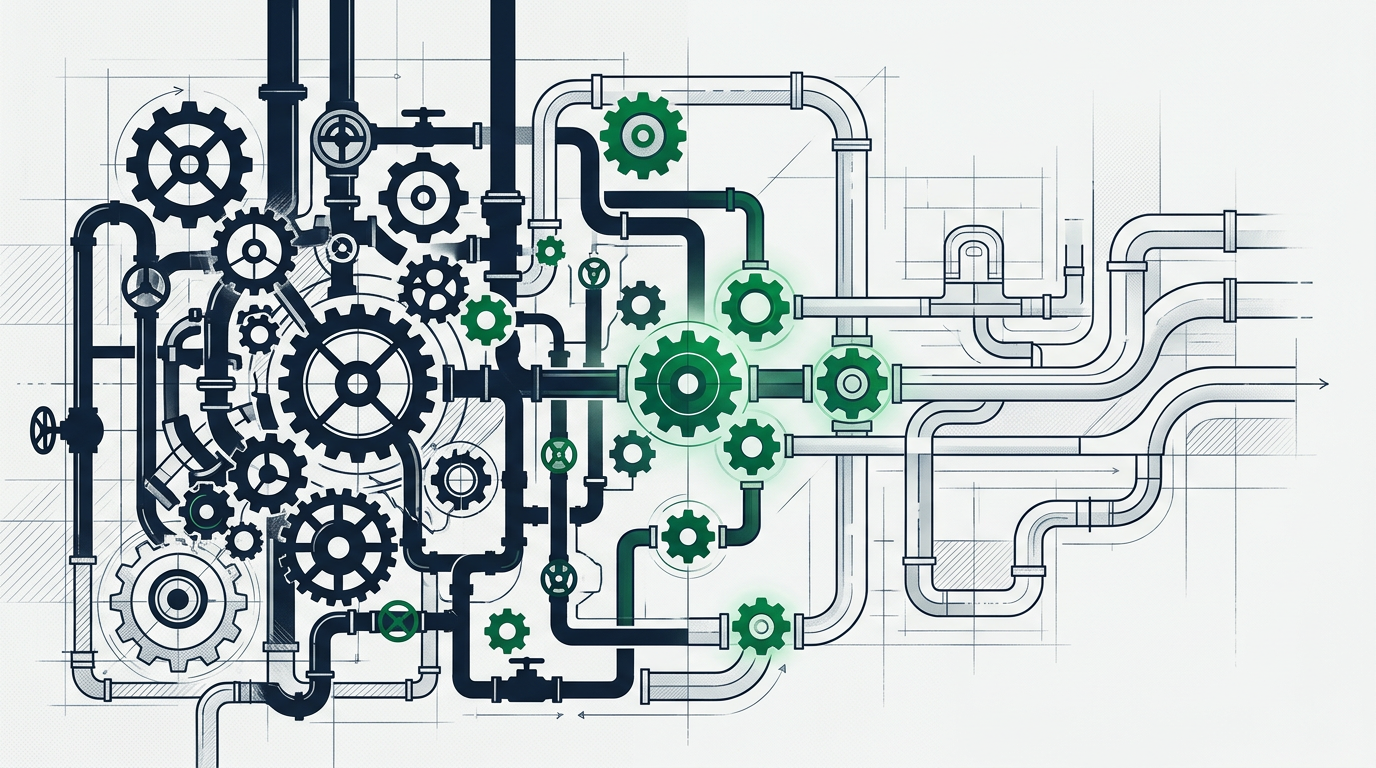

Identifying Your Business’s Operational Bottlenecks
Before implementing any custom automation, you must understand precisely where your operation bleeds time, money, and opportunity. Most service business owners and General Managers already sense the chaos, the frantic phone calls during dinner, the revenue that should have closed but vanished into silence, the new hire who left after three weeks because training was a disorganized mess. The first step toward custom automation is transforming that gut feeling into concrete visibility.
The most damaging bottlenecks typically hide in plain sight. Manual data entry consumes hours each week as someone re-types customer information from a text message into a spreadsheet, then again into QuickBooks. Endless follow-ups pile up in personal email inboxes, a quoted job from three weeks ago that never got a second call, a prospect who said “maybe next month” and disappeared forever. Chaotic scheduling keeps you personally answering calls at 7 PM because no system exists to route inquiries, confirm appointments, or send reminders automatically.
Revenue leaks are rarely dramatic explosions. They’re quiet drips: the HVAC replacement quote that never received a follow-up call, the recurring pest control customer who canceled without anyone noticing for two months, the law firm consultation that arrived through a contact form at 9 PM on Friday and sat unread until Monday afternoon, by which time the prospect had already hired a competitor. Research from Bain & Company indicates that acquiring a new customer costs 5 to 25 times more than retaining an existing one, yet most service businesses lack any systematic process for preventing customer churn or following up on warm leads.
The Hidden Costs of Manual Processes
Manual processes carry costs far beyond the visible labor hours. When your best technician spends part of every day handwriting service notes that someone else later transcribes, you’re not just paying twice for data entry, you’re introducing error at every transcription point. Addresses get mistyped. Phone numbers transpose digits. Critical details about customer equipment or service history vanish entirely because handwriting was illegible or notes were lost.
The true cost surfaces when that technician quits and takes years of undocumented customer knowledge with them. Suddenly, the business loses institutional memory about Mrs. Johnson’s gate code, the specific part always needed for the Henderson building’s HVAC system, or which commercial clients require invoices structured a particular way for their accounting department. Every new service call to an existing customer becomes a frustrating interrogation: “What’s your gate code again? Which unit was giving you trouble last time?”
Manual invoicing delays cash flow in measurable ways. If invoices go out three to seven days after job completion because someone manually creates PDFs and emails them when they “get around to it,” you’ve extended your cash conversion cycle by a full week. For a service business operating on tight margins with a significant monthly payroll, that delay can mean choosing between making payroll on time or paying key suppliers, a stress loop that accelerates burnout.
Spotting Invisible Revenue Leaks
The most destructive revenue leaks occur in the follow-up gap. A potential customer calls during a busy Tuesday morning. Your office manager scribbles the name and number on a sticky note with good intentions to call back. Three service calls arrive simultaneously. A long-time customer has an emergency. The sticky note slides under a keyboard and the prospect never hears from you again. That job goes to a competitor whose automated system sent an email confirmation within two minutes and scheduled a callback automatically.
Recurring revenue leaks when renewals happen through memory rather than system triggers. Property management companies lose maintenance contracts because nobody tracked the renewal date. Med spas watch membership revenue erode as expired credit cards decline month after month with no automated recovery process. Financial services firms lose annual planning clients who simply drift away because no system flagged the six-month mark as a critical re-engagement window.
Quiet churn, customers who stop calling without complaint, represents the most invisible leak. Forbes reports that 96% of unhappy customers don’t complain; they simply leave. Without a system tracking customer interaction frequency, purchase patterns, or satisfaction signals, you only discover the churn months later when reviewing year-over-year revenue comparisons. By then, win-back campaigns cost significantly more than proactive retention would have.
Map your current process for a single customer journey, from initial inquiry through completed service and payment. Write down every handoff, every tool or system touched, every decision point that requires a specific person’s judgment. You’ll likely discover that critical information lives on one person’s phone, key steps depend entirely on someone remembering to do them, and multiple disconnected tools create gaps where customers or revenue simply fall through.
Strategic Automation: Beyond Off-the-Shelf Software
Most service business owners have already tried the obvious solutions. You bought the CRM that promised to “transform your business.” You signed up for the project management platform that was supposed to centralize everything. You committed to the industry-specific software that claimed to handle scheduling, invoicing, and customer management in one place. Six months later, your team still uses three different spreadsheets, critical information remains in text messages, and the expensive software sits mostly unused.
The failure wasn’t your fault or your team’s resistance to change. Generic software platforms are designed for the broadest possible market, which means they excel at nothing specific to your operation. A CRM built for SaaS companies doesn’t understand the nuances of recurring field service. Project management tools designed for creative agencies lack the invoicing complexity of property management. Industry-specific platforms offer better starting points but rarely integrate with the financial, communication, or scheduling tools you already depend on.
Custom automation doesn’t mean abandoning existing tools or building everything from scratch. It means creating the connective tissue between systems, the intelligent workflows that move information automatically, trigger actions based on your specific business rules, and eliminate the manual copying, remembering, and translating that currently consumes hours daily. When a service call is completed in your field service app, custom automation can simultaneously update your CRM, trigger an invoice in QuickBooks, send a review request to the customer, and schedule a follow-up reminder for your operations manager, all without human intervention.
Integrating Disconnected Business Tools
The average service business uses seven to twelve different software tools: a scheduling system, accounting software, a communication platform, maybe a CRM, an email marketing tool, a payment processor, and various industry-specific applications. Each tool performs its function adequately. The chaos occurs in the gaps between them.
Your scheduler knows Mrs. Chen has an appointment Thursday at 2 PM, but your CRM doesn’t know she complained about service quality last month, and your accounting system doesn’t flag that her last two invoices were paid late. When the technician arrives, they have partial information at best. When the service is complete, someone must manually update three systems with the same basic facts, a process that gets skipped when the day runs long.
Integration automation creates a single source of truth. When the scheduler confirms Thursday’s appointment, the integration pulls customer history from the CRM and payment history from accounting, presenting the technician with complete context. After service completion, a single status update triggers cascading actions: invoice generation, CRM note creation, customer satisfaction survey deployment, and inventory adjustment if parts were used.
Modern integration platforms enable these connections without custom coding. Tools like Zapier, Make.com, and industry-specific integration layers can connect most business software through pre-built connectors. The strategic challenge isn’t technical, it’s mapping the specific data flows and business rules that match your operation. Which customer interactions should trigger which downstream actions? What information must move between systems in real-time versus overnight batch updates? Which decisions truly require human judgment versus algorithmic rules?
Designing Workflows for Your Industry
Effective automation reflects your industry’s unique operational rhythm. HVAC businesses need seasonal workflow variations, emergency service protocols during summer heat waves differ dramatically from maintenance call handling in spring. Law firms require conflict checking automation and matter-specific communication protocols that would be meaningless for pest control operations. Financial advisory practices need compliance-conscious documentation workflows that don’t apply to property management.
Generic automation templates fail because they miss these nuances. A “new lead nurture sequence” designed for software sales doesn’t translate to commercial HVAC, where purchase decisions involve facility managers, building owners, finance departments, and regulatory compliance considerations. The automated follow-up that works for a med spa promoting cosmetic services would seem tone-deaf from a financial planner managing retirement accounts.
Designing industry-appropriate workflows starts with documenting your best performers’ actual processes. Shadow your top salesperson for a week. Record exactly how they follow up on quotes, what information they provide, when they check in, how they handle objections, what prompts them to escalate to an in-person meeting. Observe your most efficient operations manager. Notice which reports they check first thing Monday morning, which metrics trigger immediate action, how they prioritize competing urgent requests.
These observed patterns become automation blueprints. The salesperson’s instinct to call quoted commercial jobs within 48 hours becomes an automated task assignment. The ops manager’s Monday morning routine checking last week’s incomplete jobs transforms into a weekend-generated exception report that lands in their inbox Sunday evening. The expertise gets captured in systems rather than remaining locked in individual heads, protection against the catastrophic knowledge loss when key people leave.
Industry-specific workflow design also means anticipating failure modes unique to your business. Residential service businesses need no-show protocols and weather-related rescheduling automation. Professional services firms require scope-creep monitoring and engagement letter compliance checking. Field operations need mobile-first interfaces that work reliably in basements, attics, and remote locations with spotty connectivity. Your custom automation must handle the edge cases and exceptions that generic software ignores.
Implementing Automation Without Disrupting Service Delivery
The biggest fear preventing automation adoption isn’t cost or complexity, it’s the terror of breaking what currently works. Yes, your operation is chaotic and inefficient, but customers are getting served, revenue is coming in, and people mostly know what to do. Introducing new systems risks making everything worse before it gets better. That fear is legitimate. Poor automation implementation can indeed disrupt service delivery, frustrate customers, and trigger key employee departures.
Successful implementation requires a phased approach that introduces change incrementally, tests thoroughly in controlled environments, and builds team buy-in before full deployment. You don’t automate your entire operation in one weekend cutover. You identify one high-value, low-risk process, automate it completely, validate that it works, then expand systematically.
Start with a process that’s currently painful but not mission-critical. Invoice delivery is an excellent first candidate, it’s time-consuming, error-prone, and delays cash flow, but if the custom automation fails, you can manually send invoices without catastrophic consequences. Appointment reminder systems offer another low-risk entry point. Automating reminder texts and emails reduces no-shows without touching core service delivery. If the reminder system glitches, your operation continues normally; you simply see slightly higher no-show rates temporarily.
Pilot Programs for Seamless Transition
Pilot programs run new automated processes alongside existing manual workflows, comparing results before full commitment. For a property management company automating tenant communication, this might mean selecting five properties to receive automated move-in sequences, maintenance request confirmations, and lease renewal reminders while the rest of the portfolio continues with manual emails and phone calls.
Track specific metrics during the pilot: response times, customer satisfaction, staff time saved, error rates, and edge cases the custom automation handles poorly. After thirty days, you’ll have concrete data showing whether custom automation improved outcomes. More importantly, you’ll have identified the gaps, the situations where custom automation failed and manual intervention was required. Those gaps inform the next iteration before rolling out to the full customer base.
Pilot programs also surface team concerns early when they’re easy to address. An operations manager might discover that automated task assignments lack the context human task delegation provided. A technician might find that automated service summaries miss critical nuances they previously communicated verbally. These aren’t automation failures, they’re design opportunities. Adjust the automated workflows to capture that context or preserve those communication channels, then retest.
The pilot phase protects your reputation by containing potential failures. If automated review requests accidentally spam customers with duplicate messages, you’ve annoyed twenty customers instead of two thousand. If integration between your scheduler and accounting system creates incorrect invoices, you catch it before month-end chaos. Pilots transform potentially catastrophic failures into contained learning experiences.
Training Your Team for New Systems
Automation fails most often not from technical problems but from human resistance. Team members resist new systems when they don’t understand why change is happening, fear technology will eliminate their jobs, or have been burned by previous “solutions” that created more work than they saved. Training addresses these concerns through transparency, job security reassurance, and demonstrated value.
Begin training by explaining the “why” before the “how.” Your team needs to understand that custom automation exists to eliminate the frustrating parts of their jobs, the redundant data entry, the impossible-to-remember follow-ups, the 7 PM calls about tomorrow’s schedule, not to replace them. Frame automation as upgrading their role from administrative firefighter to strategic professional who can focus on customer relationships, complex problem-solving, and business growth.
Effective training focuses on the delta, what’s different, rather than comprehensive system education. Your scheduler doesn’t need to understand how integration APIs work; they need to know that when they mark a job complete, invoicing now happens automatically instead of requiring a separate email to accounting. Your technicians don’t need to master CRM theory; they need to see that customer history now appears automatically on their mobile device instead of requiring a phone call to the office.
Involve team members in automation design before training begins. The people currently doing the work understand nuances that owners and managers miss. Your CSR knows that Mrs. Peterson always needs appointment confirmations sent to her daughter’s email, not her own. Your lead technician knows that certain commercial clients require photos with every service report while residential customers find them intrusive. Incorporating this knowledge into custom automation design transforms team members from change victims into system architects, a psychological shift that dramatically improves adoption.
Provide just-in-time training rather than front-loading everything. When you introduce automated appointment reminders, train the scheduling team that week. When you roll out automated invoicing next month, train accounting then. Marathon training sessions where everything is taught at once overwhelm people and waste time covering features they won’t use for months. Short, focused training on immediately relevant changes sticks better and builds confidence incrementally.
Reclaiming Your Time and Gaining Operational Control

The ultimate goal of custom automation isn’t efficiency for its own sake, it’s reclaiming the time and mental space that lets you lead your business instead of being enslaved by it. Right now, you’re the final backstop for everything: the person who catches missed follow-ups, who answers customer calls during family dinners, who manually checks that invoices went out and payments came in. This isn’t leadership; it’s operational imprisonment.
Automation breaks that prison by creating reliable systems that execute consistently without your constant supervision. When follow-up sequences run automatically based on customer behavior triggers, you stop lying awake at 2 AM wondering if anyone called back Tuesday’s quotes. When scheduling confirmations, reminders, and rescheduling protocols operate systematically, you stop fielding “I didn’t know you were coming today” calls. When financial dashboards update in real-time pulling data from integrated systems, you gain instant visibility into cash position without interrogating three different people.
McKinsey research suggests that about 60% of all occupations have at least 30% of activities that could be automated with current technology. For service business owners and operations managers, that percentage skews even higher: scheduling, data entry, routine follow-ups, basic reporting, and invoice generation are all highly automatable. The time saved isn’t theoretical; it’s specific hours returned to your week for activities only humans can do: strategic planning, relationship building, complex problem-solving, and business development.
From Bottleneck to Strategic Leader
Being the operational bottleneck feels like responsibility and control. In reality, it’s a trap that prevents business growth and guarantees burnout. When every significant decision requires your personal input, your business can only grow as fast as your available hours, a hard ceiling that eventually fractures under weight.
Automated systems encode your decision-making logic into repeatable processes. Instead of personally deciding which quotes need follow-up calls, the system automatically prioritizes based on quote size, customer history, time elapsed, and competitive threat level, the same factors you’d consider, but applied consistently to every opportunity. Instead of manually reviewing technician schedules each morning looking for conflicts or inefficiencies, automated scheduling optimization presents exception reports showing only the situations requiring human judgment.
This transformation from bottleneck to strategic leader shows up in how you spend Tuesday afternoon. Previously, you’d be triaging urgent emails, returning customer calls, checking that yesterday’s invoices went out, and manually updating the revenue forecast spreadsheet. With robust custom automation, those tasks happen systematically. Tuesday afternoon becomes available for the strategic work you’ve postponed for months: evaluating that expansion opportunity, developing the training program that will help new hires succeed faster, or building the referral partnership with the commercial real estate firm.
Delegation becomes possible, and effective, when automated systems ensure consistent execution. You can confidently hand customer onboarding to an operations coordinator because automated workflows guarantee every new customer receives the same welcome sequence, documentation, and setup checklist. You can delegate quote follow-up to a junior salesperson because the CRM automatically surfaces the highest-priority opportunities with relevant context. Previously, delegation meant hoping someone would remember to do things your way; now it means systems enforcing the right way automatically.
The Freedom of Automated Follow-Up
Follow-up represents the highest-value activity that service business owners consistently fail to execute. Every study confirms that most sales require five to twelve touchpoints, yet most salespeople give up after two attempts. The reason isn’t laziness, it’s cognitive overload. Remembering who to call when, what was discussed previously, and why this prospect matters gets overwhelmed by urgency bias toward whoever’s currently calling.
Automated follow-up systems operate without cognitive overload or urgency bias. A prospect who requested information last Tuesday automatically receives a check-in email Thursday, a case study Monday, and a calendar link Wednesday, whether you’re slammed with emergency service calls, on vacation, or focused on closing a major deal. The system tracks engagement: if they open the email and click the case study link, it escalates them to immediate sales attention. If they ignore three touchpoints, it flags them for a different approach or graceful archive.
This consistency transforms conversion rates. When every quoted job receives systematic follow-up instead of just the ones you remember, close rates often improve simply from preventing opportunities from slipping through chaos. When every new customer automatically receives a satisfaction check-in after their first service, you catch and resolve small complaints before they become scathing online reviews.
Automated follow-up also enables personalization at scale that would be impossible manually. The system can send different follow-up sequences based on service type, customer size, industry, or initial inquiry source. Commercial HVAC prospects receive technical white papers and ROI calculators; residential customers get seasonal maintenance tips and financing options. This relevance increases engagement without requiring you to manually segment and craft sixteen different email campaigns.
The psychological freedom of automated follow-up may matter more than the revenue impact. That gnawing anxiety that you’re forgetting someone important, that a major opportunity is slipping away because you haven’t called them back, it disappears. The system remembers. The system executes. You can focus on the present conversation knowing that future touchpoints are handled.
Scaling Profitably with Predictable Systems
Growth without systems creates proportional chaos. Revenue doubles, so you hire two more technicians and another office person, and now communication breakdowns happen twice as often. You land a major commercial contract that strains capacity, and suddenly residential customers start receiving worse service because processes that worked for fifteen customers weekly collapse under thirty.
Profitable scaling requires systems that handle increased volume without proportional increases in complexity, errors, or owner involvement. When your operation runs on documented, automated workflows rather than personal heroics and institutional memory, adding capacity becomes straightforward. New hires plug into existing systems that guide correct execution. New service offerings follow proven implementation playbooks. New locations replicate established processes rather than reinventing everything.
Consider the staffing economics: without systems, a new hire requires three to six months of intensive training before they operate independently, months during which they produce limited value while consuming significant management attention. With automated systems providing structure, checklists, and immediate feedback, new hires reach productivity in four to six weeks. That acceleration compounds: you can add capacity faster in response to demand, and turnover becomes less catastrophic because replacement hires onboard quickly.
Duplicating Success with Standardized Processes
Your best technician, top salesperson, or star operations coordinator succeeds through a combination of skill, experience, and judgment developed over years. Duplicating their performance has always seemed impossible, you can’t hire five people with ten years of experience each. But you can capture the decision frameworks and processes that drive their success, encoding them into systems that guide less-experienced team members to similar results.
Standardized processes don’t mean robotic, inflexible service. They mean new team members start with proven foundations rather than figuring everything out through trial and error. An automated diagnostic checklist ensures junior technicians check all the same systems your veteran examines instinctively. A CRM-guided sales process prompts new salespeople to ask the qualification questions your top performer never forgets. Standardization establishes the floor; individual skill and judgment still create the ceiling.
Documentation becomes a natural byproduct of automation rather than a separate obligation that never gets completed. When your service process runs through a system that captures technician notes, photos, parts used, and time spent, you’re automatically building a knowledge base. Future service calls to that customer or similar equipment benefit from searchable history. Training new technicians means showing them real examples from the database rather than hoping they absorb tribal knowledge through osmosis.
Standardization also protects against the single-person dependency trap. When one person holds critical processes in their head, their vacation creates crisis and their departure creates catastrophe. When those processes live in systems, individuals become valuable for their judgment and expertise rather than being irreplaceable because they’re the only one who knows how to do essential tasks. This paradoxically makes retention easier, people prefer working in professional environments with clear systems over chaotic ones where they’re constantly firefighting.
Attracting and Retaining Top Talent
Skilled professionals increasingly evaluate potential employers based on operational maturity. The best technicians, salespeople, and operations managers seek structured environments where they can focus on their craft rather than compensating for organizational chaos. Automation signals operational maturity in concrete ways that attract higher-caliber candidates.
Job candidates notice when your interview process includes automated scheduling, clear communication about next steps, and organized onboarding materials. They contrast this professionalism with competitors where scheduling an interview requires three phone calls, start dates are vague, and the first day involves someone frantically trying to find login credentials. First impressions matter, automation creates the impression of a business that has its act together.
Retention improves when daily work isn’t consumed by frustrating administrative tasks. Talented technicians want to solve complex service problems, not spend forty minutes daily on paperwork. Skilled salespeople want to build customer relationships, not manually update CRM records and chase down quote approvals. Operations managers want to optimize processes, not manually compile reports from three different systems. Automation eliminates the friction that drives good people away.
Career development becomes visible when systems create clear performance metrics. Automated reporting shows which salespeople close quotes fastest, which technicians generate highest customer satisfaction scores, and which service routes operate most efficiently. Objective data enables merit-based recognition and compensation rather than subjective favoritism. Top performers appreciate environments where excellence is measured and rewarded systematically.
The businesses experiencing lowest turnover share a common trait: team members feel the business is improving, not stagnating. Regular automation improvements signal forward momentum, each new integration that eliminates a painful task, each dashboard that provides better visibility, each workflow that makes jobs easier. This perception of progress matters enormously for retention. People tolerate imperfect present situations if they believe the future is getting better.
Partnering for Custom Automation Success in Knoxville, TN
Many service business owners initially approach automation as a DIY project. The logic seems sound: you understand your business better than anyone, integration platforms look user-friendly, and hiring outside help feels like an unnecessary expense. Six months later, you’ve spent forty hours watching tutorials, built three partially-working automations that break mysteriously, and concluded that custom automation “doesn’t work for my industry.”
The DIY failure isn’t about intelligence or technical aptitude, it’s about time, expertise, and perspective. Building robust custom automation requires understanding API architectures, error handling, data mapping, security protocols, and integration best practices developed through implementing dozens of systems. Even if you could develop that expertise, the question isn’t can you build it yourself but should you. Your highest-value use of forty hours isn’t becoming an amateur automation engineer; it’s growing your service business.
Working with custom automation experts who understand service business operations accelerates implementation, reduces risk, and produces more comprehensive solutions. Specialists bring pattern recognition from implementing similar systems across multiple companies. They’ve encountered and solved the edge cases you haven’t discovered yet. They know which integration approaches seem clever but fail in production, which platforms claim capabilities they don’t deliver, and which architectural decisions create technical debt that haunts you for years.
When to Call in the Experts
Simple automation, a Zapier connection moving data from one system to another, makes sense as DIY experimentation. When automation requirements grow more complex, the DIY approach becomes false economy. Several signals indicate it’s time to engage professional help.
You need expertise when custom automation must touch multiple systems simultaneously. Connecting your scheduler to your CRM might be straightforward; connecting your scheduler, CRM, accounting system, review platform, email marketing tool, and SMS service into a coordinated workflow requires architectural planning and error handling that’s easy to get wrong. Professionals build these multi-system integrations with appropriate failsafes, logging, and monitoring so problems surface immediately rather than corrupting data silently for weeks.
Complex business logic signals the need for expertise. If your follow-up automation needs to behave differently based on customer industry, service history, quote size, competitor pressure, time of year, and sales rep assignment, coding that logic without introducing bugs becomes challenging. Professional automation designers translate complex business rules into reliable system logic, test edge cases thoroughly, and document decision trees so future modifications don’t break existing functionality.
Security and compliance requirements absolutely require professional implementation. If your service business handles payment card data, protected health information, or other regulated data, automation that moves this information between systems must meet specific security standards. DIY approaches often create compliance vulnerabilities you won’t discover until an audit or breach. Professionals understand encryption, access controls, audit logging, and regulatory requirements.
Time pressure justifies professional help. If your key operations manager just gave notice and you need to systematize their knowledge before they leave in three weeks, DIY learning curves won’t work. If you’ve landed a major contract that starts in sixty days requiring operational capacity you don’t currently have, professionally implemented automation can scale your operation in time.
Building Your Business Systems Roadmap
Comprehensive automation doesn’t happen in one implementation, it evolves through a strategic roadmap that prioritizes highest-value improvements while building toward long-term operational vision. Professional automation partners help construct this roadmap based on your current pain points, growth trajectory, and resource constraints.
A typical roadmap starts with quick wins that demonstrate value and build team confidence. Automated invoice delivery and payment reminders might save twelve hours weekly and improve cash flow immediately, tangible benefits that create momentum for larger projects. Appointment reminder automation reduces no-shows, improving revenue and schedule efficiency with minimal implementation risk.
Phase two typically addresses integration gaps causing the most friction. Connecting your field service platform to accounting eliminates double data entry and accelerates billing. CRM integration with email and phone systems automatically logs customer communications, creating comprehensive interaction history without manual note-taking. These integrations free substantial team time while improving data quality.
Later phases introduce sophisticated custom automation that transforms operational capabilities. Predictive scheduling uses historical data and machine learning to optimize routes, reducing drive time and increasing daily capacity. Advanced lead scoring automation identifies high-probability opportunities deserving immediate attention. Automated financial forecasting pulls data from multiple systems to project cash flow, capacity constraints, and growth scenarios.
The roadmap remains flexible, adjusting as business priorities shift. When you land an unexpected major contract, automation priorities might pivot to rapid capacity scaling. If a competitor introduces a service model threatening market share, automation might focus on customer retention and engagement. Professional partners adjust the roadmap based on emerging needs rather than rigidly following an outdated plan.
Be Known, LLC in Knoxville, TN specializes in helping service business owners and operations managers build these custom automation roadmaps and implement systems that transform operational chaos into predictable, scalable processes. While our primary positioning centers on paid acquisition for coaches and consultants, our systems expertise extends to any service business struggling with the operational bottlenecks and single-person dependencies that prevent profitable growth. Our approach emphasizes incremental implementation that preserves service quality while progressively reducing owner dependency and enabling sustainable scaling.
If you’re ready to explore how custom automation can reclaim your time, eliminate operational bottlenecks, and prepare your service business for profitable growth, schedule a systems assessment conversation to discuss your specific situation and determine which custom automation opportunities would deliver the highest impact for your operation.
Keep reading: see all of our business automation & systems guides, or talk with us about your own setup.
FAQs
How do I start identifying what processes to automate in my service business?
Begin by tracking where your time disappears each week, look for repetitive tasks consuming multiple hours, processes that frequently produce errors, or bottlenecks where work piles up waiting for one person. Focus first on high-frequency activities like customer follow-ups, scheduling confirmations, or invoice delivery that cause revenue leaks when executed inconsistently. Map the customer journey from initial inquiry through payment to spot gaps where prospects or information fall through.
Will automation make my service feel impersonal to customers?
Thoughtfully designed automation actually improves customer experience by ensuring consistent, timely responses and eliminating the service gaps that occur when manual processes fail. Customers prefer receiving appointment confirmations within minutes over waiting hours for someone to manually send them. Automation handles routine communications reliably, freeing your team to focus on personalized interactions during service delivery and complex problem-solving where human judgment truly matters.
How long does it typically take to implement custom automation?
Simple single-system automations can deploy in days, while comprehensive multi-system integrations typically require four to twelve weeks depending on complexity. Phased implementation approaches introduce automation incrementally, you might automate invoice delivery in week one, add appointment reminders in week three, and integrate CRM with scheduling in week six. This staged rollout minimizes disruption and allows testing each component thoroughly before proceeding.
What if my current software doesn’t integrate with other tools?
Most modern business software offers integration capabilities through APIs, webhooks, or pre-built connectors on platforms like Zapier and Make. Legacy systems without integration options might require middleware solutions or, in extreme cases, replacement with more compatible alternatives. A thorough systems assessment identifies integration limitations early and recommends practical solutions, sometimes a workaround exists, other times strategic software replacement delivers better long-term value than maintaining incompatible tools.
How do I get my team to actually use new automated systems?
Successful adoption requires involving team members in design decisions before implementation, clearly explaining how custom automation eliminates frustrating parts of their jobs, and providing focused training on immediately relevant changes rather than overwhelming comprehensive sessions. Start with automations that obviously save time or reduce errors, building credibility through quick wins. Monitor usage patterns and gather feedback, adjusting workflows based on real-world friction points rather than defending initial designs that don’t match actual work patterns.
Can automation help if I’m planning to sell my business eventually?
Absolutely, documented, automated systems significantly increase business valuation by reducing buyer risk and demonstrating that operations don’t depend entirely on the owner’s personal involvement. Buyers pay premium multiples for businesses with transferable systems, predictable processes, and minimal single-person dependencies. Automation also makes due diligence smoother by providing clear data trails, documented workflows, and objective performance metrics that validate the business’s operational health and growth potential.
Custom automation transforms service businesses from owner-dependent operations into systematized, scalable companies that run predictably without constant personal intervention. The path from chaos to control begins with identifying your highest-impact bottlenecks and implementing targeted custom automation that frees your time for strategic leadership. If you’re ready to reclaim your Friday afternoons, eliminate the 7 PM customer calls, and build systems that let your business grow without proportionally increasing stress, start the conversation about your custom automation roadmap today.
Sources & references