
Automate Paid Acquisition in Minutes: No-Code Lead Funnels with Zapier for Coaches Who Want More Clients, Less Busywork
No-code lead funnels with Zapier let coaches and consultants automate paid acquisition workflows across 7,000+ apps without developers. When prospects fill your form, Zapier adds them to your CRM, sends welcome emails, and alerts your team in seconds, cutting sales cycles and boosting conversions.
↳ Build Your First Funnel
↳ AI Lead Scoring
↳ Cart Recovery
↳ Paid Ad Integrations
↳ Monitor and Optimize
Why No-Code Lead Funnels with Zapier Transform Paid Acquisition for Coaches
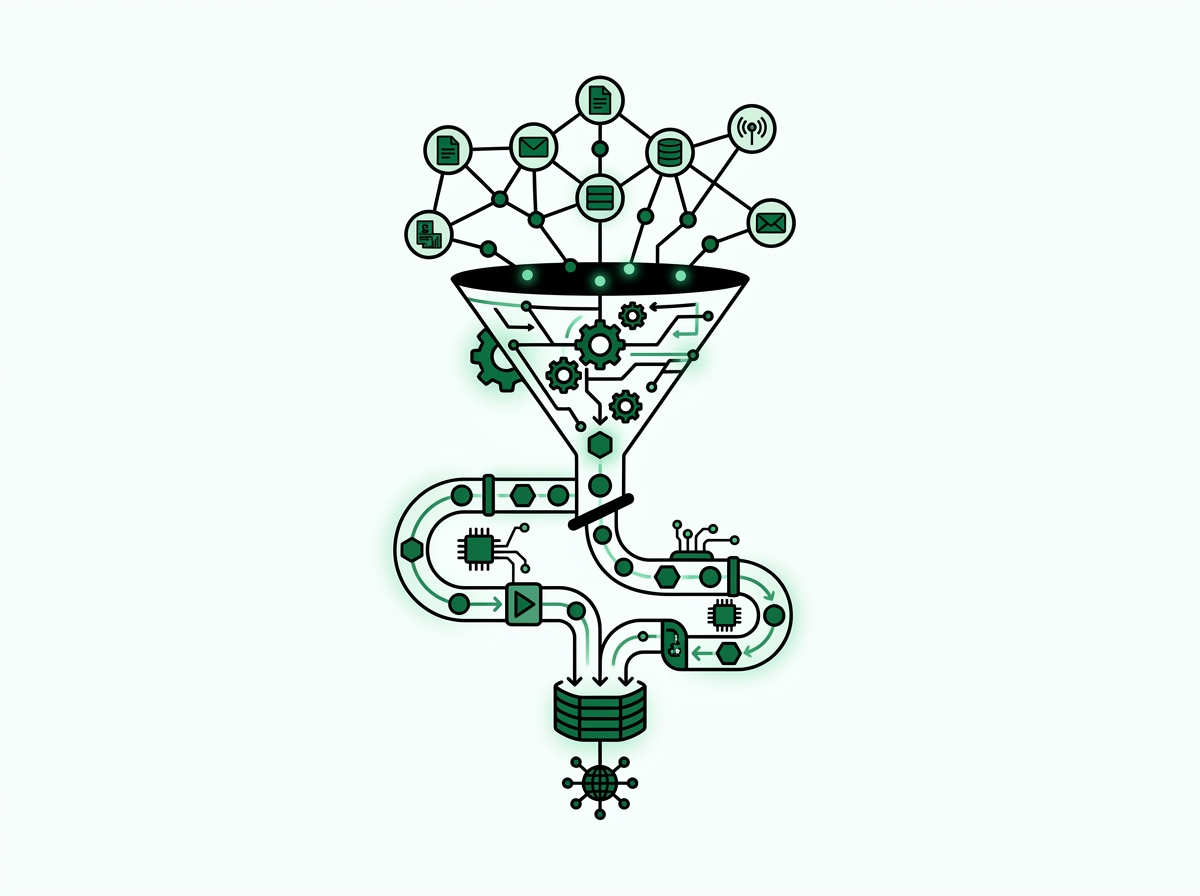
No-code lead funnels with Zapier automate your entire lead journey without developers. When someone fills your form, Zapier adds them to HubSpot, sends a welcome email, and alerts your team via Slack in under five seconds.
Be Known, LLC, based in Knoxville, TN, serves coaches and consultants across the United States who need measurable results from their paid acquisition for coaches and consultants campaigns. You don’t generate leads just to let them sit in your inbox. You need them routed, qualified, and contacted before competitors respond.
Old lead management forces you to export form data, paste it into your CRM, send follow-ups, and remember to notify your team. Each step adds friction and delay. Sales funnel automation is now the baseline for serious lead generation, not a luxury for enterprise teams with developers.
The Business Case for Automation in Coaching and Consulting
Marketing budgets fell to 7.7% of revenue in 2024 according to Gartner. For lean coaching practices, this makes no-code tools essential. You can’t afford custom development or ongoing engineering costs.
Companies using funnel automation report shorter sales cycles and higher conversion rates. Speed-to-lead is the top predictor of B2B conversions. Contact a lead in five minutes versus 30 minutes, and you’re 400% more likely to convert them. For coaches selling programs, those minutes matter.
Automation also delivers consistency. Every paid lead gets the same professional experience. They’re never neglected, no matter when they convert or what time zone they’re in.
Why Coaches Choose Zapier Over Custom Development
Custom automation requires big upfront investment, ongoing maintenance, and technical know-how you don’t have in-house. Zapier’s no-code approach lets a solo coach or small team deploy workflows in hours, not months.
The platform’s 7,000+ integrations mean you connect your existing tools right away. You use Unbounce for landing pages, HubSpot for CRM, Mailchimp for email, and Calendly for appointments. Zapier creates workflows between these systems without IT support.
- Zapier connects 7,000+ apps to automate form-to-CRM workflows
- Speed-to-lead predicts conversions better than any other metric
- Marketing budgets at 7.7% make no-code tools essential for coaches
- Automation is now baseline, not luxury, for lead generation
Building Your First No-Code Lead Funnel with Zapier for Paid Campaigns
You don’t need technical skills to create automated lead funnels with Zapier. You just need a clear path from ad click to booked call.
Start by mapping your current lead journey. Find each manual task you do: download leads from Facebook, add them to your CRM, send welcome emails, schedule follow-ups. Each becomes an automated action in Zapier.
Connecting Landing Pages to Your Lead Funnel
Unbounce, Leadpages, Instapage, and Webflow all plug directly into Zapier. Set up a new Zap and pick your landing page platform as the trigger. That’s the event that kicks off your automation.
Set the trigger to activate when someone submits your form. Zapier asks you to map form fields like name, email, phone to standard data points. This one-time setup ensures every lead’s info flows correctly.
Test your trigger with sample submissions before launching paid campaigns. Zapier shows you exactly what data gets captured and how it appears in downstream apps. This prevents gaps when real prospects start converting.
Creating Multi-Step Automation Sequences
A basic lead funnel has five steps: form submission, CRM record, Slack alert, welcome email, booking link. Zapier handles each action in order. Your lead gets instant acknowledgment while your team gets instant notification.
For CRM integration, select HubSpot, Salesforce, Pipedrive, or Copper as an action. Map form data to CRM fields. Zapier creates a contact record with full info, tagged with campaign source so you track which paid channels deliver best leads.
Add a Slack action next. Send a message to your sales channel with the prospect’s name, company, and CRM record link. At the same time, trigger an email through Mailchimp or ActiveCampaign with a personalized welcome that sets expectations.
The final step can send an SMS via Twilio or push the lead to Calendly with a unique booking link. This encourages quick appointment scheduling while interest is highest. Launch your no-code paid acquisition strategy by setting up this core workflow, then add more as you gain confidence.
Using Zapier’s Drag-and-Drop Builder
Zapier’s visual interface shows each workflow step as a connected block. You can add, remove, or rearrange steps by clicking and dragging. Changes take effect right away. The platform gives you helpful prompts as you set up each action.
Advanced features like filters, paths, and delays add conditional logic without code. For example, filter leads by company size. Route enterprise prospects to senior consultants. Send small business leads to junior team members. Delay steps let you space out emails 24 hours apart without manual work.
- Connect landing page forms to Zapier triggers that route leads right away
- Set up multi-step Zaps: form, CRM, Slack, email, calendar
- Use drag-and-drop builder to launch automations in minutes
- Test with sample leads before launching paid campaigns
AI-Enhanced Lead Scoring and Routing in Zapier for High-Intent Consultants
Not all leads are equal. A Fortune 500 executive researching consulting is different from a solopreneur exploring entry-level coaching. AI lead scoring finds high-intent prospects and routes them to the right team member without manual work.
Zapier works with ChatGPT, Claude, and custom ML models through webhooks. These integrations enable sophisticated qualification without data science know-how.
Automated Lead Scoring with No-Code Lead Funnels with Zapier
Lead scoring assigns points to prospect traits and behaviors. Someone who downloads many resources, visits your pricing page, and matches your ideal profile earns a higher score than a casual browser. Zapier calculates these scores in real time.
Start with a scoring matrix. Assign points for company size, industry, job title, pages viewed, content downloaded, ad source. Store this in Zapier Tables or a spreadsheet, then reference it as leads enter your system.
Use Zapier’s math functions to calculate total scores. Need more advanced scoring with many weighted factors? Connect to AI services that analyze lead data. They return scores based on your past conversion history.
Intelligent Lead Routing Based on Qualification
Once scored, leads route on their own using Zapier paths and filters. High-value leads with a score above 75 trigger SMS alerts to senior consultants. Mid-tier prospects scoring 50 to 74 enter nurture sequences. Low-scoring leads get educational content to build awareness.
This routing happens in seconds. High-intent prospects get white-glove treatment. Your senior team doesn’t waste time on unqualified inquiries. Automation for tracking leads ensures no opportunity falls through the cracks.
Enriching Lead Data with Third-Party Intelligence
Lead enrichment tools add valuable data to basic form fills. Clearbit, ZoomInfo, and FullContact are examples. Someone gives just a name and email. These services add company info, social profiles, and tech stack. They also add company size and revenue estimates.
Add an enrichment step to your Zapier workflow right after lead capture. Call the enrichment API. The returned data fills more CRM fields. Your sales team gets full context before first contact. This lets you personalize outreach with specific company challenges or recent news, which improves response rates.
Personalizing Email Sequences by Lead Attributes
With enriched data and scoring, you can trigger different email sequences based on prospect traits. Enterprise leads get case studies with Fortune 500 clients. Small business prospects get content about fast setup and low cost. Industry-specific sequences reference relevant regulations and pain points.
Zapier’s conditional logic makes this easy. Set up paths that check lead attributes like industry, company size, job role. Route prospects to matching email sequences in your marketing platform. Every lead feels like you’re speaking directly to them.
- Connect Zapier Tables and AI tools to score leads by intent signals
- Route high-value leads to senior consultants in minutes with conditional logic
- Automate enrichment by connecting Clearbit or ZoomInfo to Zapier
- Trigger personalized email sequences based on lead score and campaign source
Automating Abandoned Cart Recovery and Re-Engagement for Coaching Offers
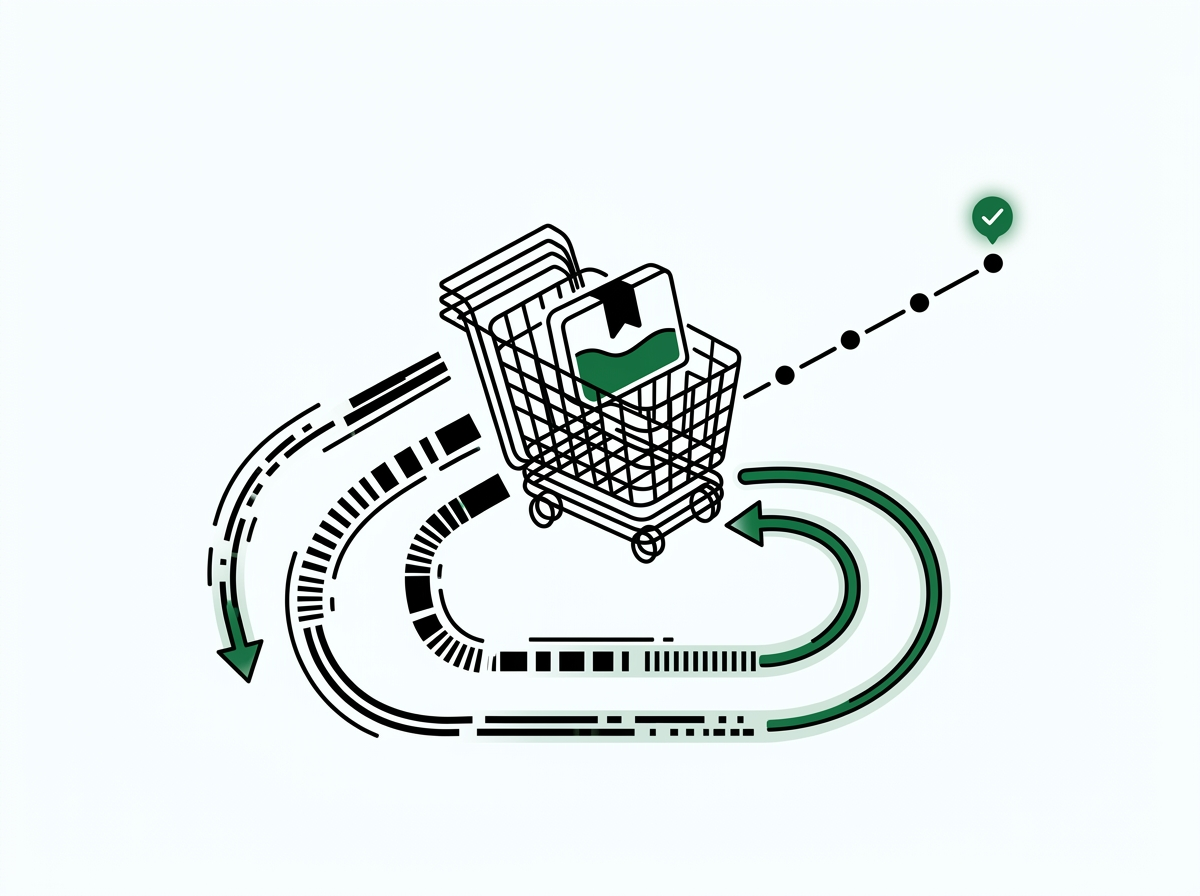
Not every prospect converts on their first visit. Many start the buy process, add programs to cart, or begin forms. Then they leave before finishing. Automated recovery sequences recapture this lost revenue. You don’t spend more on ads.
Detecting Abandonment Events
Most booking and checkout platforms send webhooks for incomplete transactions. Stripe, PayPal, Kartra, ClickFunnels, and Kajabi can all notify Zapier when someone starts but doesn’t finish a purchase.
Create a Zap triggered by incomplete checkout or abandoned form events. The trigger captures prospect info like email, items viewed, amount considered. This data becomes the foundation for targeted win-back campaigns.
Building Timed Re-Engagement Sequences
Timing matters in cart recovery. The first touchpoint should arrive within an hour while the prospect remembers your offer. Follow-ups can come at 24 hours, 72 hours, and one week.
Use Zapier’s delay action to space these touchpoints on their own. Your first email might offer help: “I saw you were looking at our Executive Leadership Program. Can I answer questions?” This gentle nudge removes barriers without pressure.
The second message can address objections with testimonials, success metrics, or guarantees. The third adds urgency with limited bonuses or enrollment deadlines. Each message moves prospects closer to buying. You don’t lift a finger.
Personalizing Recovery Offers
Generic “complete your purchase” emails don’t work well. Good recovery campaigns mention the specific program, tier, or package the prospect looked at. Zapier’s data mapping puts the exact offer name in your emails. It also adds pricing and details.
Send a personal video when someone abandons a premium offer. You can also reach out directly. Zapier creates CRM tasks or sends alerts that prompt this follow-up. It combines automation with a human touch where it matters most.
Tracking Recovery Performance
Connect your recovery Zaps to Google Sheets or Airtable. This logs every attempt and outcome. Track which messages drive conversions. See what timing works best. Monitor total recovery revenue. This data shows you opportunities to refine messaging. You can adjust timing or try different offers.
Over time, you’ll see clear patterns. Mobile visitors might convert better with SMS follow-up. Enterprise buyers may respond well to competitor comparisons. These insights grow your results without adding more team members.
- Build Zaps that detect incomplete bookings and send timed re-engagement emails
- Connect Stripe or PayPal to Zapier for instant transaction tracking
- Use delay steps to space touchpoints at 1 hour, 24 hours, 72 hours
- Track abandonment rates in Google Sheets to optimize landing pages
Integrating Zapier Lead Funnels with Paid Acquisition Platforms
The real power of no-code lead funnels with Zapier emerges when you connect workflows directly to paid ad platforms. This creates a closed loop where ad spend, lead capture, qualification, and conversion tracking all flow without friction.
Facebook Lead Ads, Google Ads, and LinkedIn Lead Gen Forms offer native Zapier integrations. Leads flow from ad platform to your tech stack the moment they convert.
Connecting Facebook Lead Ads to Your Funnel
Facebook Lead Ads let prospects submit info without leaving the platform. This reduces friction and improves conversion. The challenge has always been accessing data quickly. Facebook’s download process introduces delays. Those delays cost you conversions.
Zapier’s Facebook integration solves this with a webhook that receives lead data in real time. Set up a Zap triggered by new lead in Facebook Lead Ads. Map form fields to your CRM and email platform. Every lead gets instant attention. Automate your coaching funnel today and cut the lag between ad conversion and sales outreach.
You can also send lead events back to Facebook via Zapier to improve campaign optimization. When a lead books a call or becomes a client, notify Facebook’s Conversions API. The platform learns which audiences and creative assets drive the most valuable outcomes.
Syncing Google Ads Lead Form Extensions
Google Ads Lead Form Extensions work like Facebook Lead Ads, capturing prospect info within the ad. Zapier connects to these submissions right away, routing leads to your CRM and triggering quick follow-up.
For coaches running search campaigns, this integration means no prospect waits. Someone searches “executive coaching San Francisco” and fills out your form. They get a welcome email, CRM record, and sales alert in seconds. You win their business before competitors can respond.
LinkedIn Lead Gen Forms for B2B Consultants
LinkedIn’s professional audience is ideal for consultants targeting enterprise clients. LinkedIn Lead Gen Forms pre-fill with member profile data. This makes submission easy. You get rich company info with each lead.
Connect LinkedIn to Zapier to route B2B leads into your funnel right away. LinkedIn provides job titles, company names, industries, seniority. These are perfect inputs for lead scoring and routing. Enterprise prospects get flagged for quick senior consultant outreach. Mid-market leads enter appropriate nurture tracks.
All-in-One Funnel Builders and Zapier
Many coaches use ClickFunnels, Kartra, GoHighLevel, or Kajabi. These combine landing pages, email, and payments. They offer built-in automation. But Zapier extends their reach by connecting them to external systems.
Push ClickFunnels leads to Salesforce or HubSpot. Send GoHighLevel bookings to Slack. Sync Kartra purchases with QuickBooks or Xero. These cross-platform integrations create a unified tech stack that serves your whole business.
Reducing Friction with Automated Scheduling
Appointment scheduling is a key step in conversion. Prospects show interest, then they need to book a time. This often becomes a frustrating email back-and-forth. Calendar coordination slows everything down.
Zapier connects Calendly, Acuity, or ScheduleOnce to your lead funnel. When someone converts on a paid ad, they get a booking link for their timezone right away. Once they schedule, Zapier creates CRM tasks. It sends calendar invites. It triggers pre-call sequences that prepare prospects for great conversations.
- Sync Facebook, Google, and LinkedIn Lead Ads to Zapier for zero lead leakage
- Automate conversion tracking by sending lead events back to ad platforms
- Connect Zapier to ClickFunnels or Kartra to centralize lead data
- Push qualified leads to Calendly on their own to reduce friction
Monitoring and Optimizing No-Code Funnels for Maximum ROI
Automation isn’t something you set and forget. Successful coaches watch their funnel performance closely. They find bottlenecks and optimize based on data. Zapier gives you many ways to track automation health and improve ROI.
Sales funnel automation with Zapier creates detailed audit trails. These show exactly how each lead moves through your system. This transparency helps you diagnose issues quickly and optimize systematically.
Creating Real-Time Performance Dashboards
Google Sheets works well as a dashboard foundation. Create a Zap that logs every event: form submission, CRM creation, email sent, appointment booked, deal won. Include timestamps and attributes.
Once data flows into Sheets, connect to Google Data Studio or Tableau. You can also use other visualization tools to create real-time dashboards. Track leads per day by source. See conversion rate by campaign. Monitor time to first contact. View revenue by lead score. These dashboards give you instant visibility into funnel health.
For teams using project management tools, Zapier can create cards in Trello, Asana, or Monday for each high-value lead. Your project board becomes a visual sales pipeline where you track progress and assign tasks.
Tracking Conversion Rates by Funnel Segment
Different traffic sources create different results. The same is true for landing pages and messages. Zapier’s data logging helps you see which combinations work best. You can then spend your budget where it counts most.
Tag each lead with UTM parameters from the original ad click: source, medium, campaign, content. When you analyze conversion rates, segment by these attributes. You might find LinkedIn ads for CFO coaching convert at 8% while Facebook ads convert at 3%, even though Facebook delivers higher volume at lower cost.
This insight might justify moving budget toward LinkedIn. Yes, the cost per lead is higher. But the higher conversion rate gives you better cost per client. Without tracking via Zapier, these patterns stay invisible. You’re left guessing when you optimize.
Error Monitoring and Funnel Reliability
Automation workflows can break when integrations change, APIs update, or accounts disconnect. Zapier provides built-in error alerts that notify you right away when a Zap fails. You can respond fast before significant lead volume is affected.
Set up email or Slack notifications for Zap errors. When you get an alert, Zapier’s task history shows which step failed and why. Common issues include API rate limits, invalid data, or authentication timeouts. All solvable in minutes once found.
Run regular Zap audits monthly or quarterly. As you add tools, change CRM fields, or modify email sequences, update corresponding Zaps to maintain data integrity.
A/B Testing Automation Workflows
Just as you test ad creative and landing pages, test automation sequences. Does a two-email welcome series beat a single message? Do leads prefer quick calls or scheduled consultations? Zapier’s path feature enables controlled testing.
Create Zaps with many paths that randomly assign leads to different treatments. Path A sends a welcome email right away and books a call. Path B sends educational content and waits 24 hours before proposing a conversation. Track conversion rates for each path to see which works better.
Over time, these small improvements compound. A funnel that converts at 5% can reach 7 to 8% through systematic testing. This doubles revenue from the same ad spend. Scale paid acquisition with expert guidance that builds continuous optimization into your growth strategy.
- Set up Zapier workflows that log every lead event to Google Sheets
- Track conversion rates by ad source and landing page to find top performers
- Use Zapier error notifications to catch broken workflows before losing leads
- A/B test email templates and routing logic within Zapier to improve conversion
Scaling Your No-Code Lead Funnel Strategy as Your Coaching Business Grows
Early-stage coaches manage leads by hand. Simple automation handles routine tasks. As you grow by adding team members, service lines, and market segments, your automation must evolve. It must support more complexity without more manual work.
Zapier scales from solopreneur to enterprise. The same platform that routes your first ten leads can handle thousands across many brands, geographies, and offerings. Smart planning ensures your automation supports this growth instead of requiring painful rebuilds.
Advanced Multi-Touch Attribution
Simple attribution credits the last click before a sale. Better attribution sees the full journey. Prospects interact with many campaigns before they buy. They read blog posts and download resources. They attend webinars and click ads over weeks or months.
Zapier can track these touchpoints. It logs every interaction to a central database. When someone converts from visitor to lead, their historical activity attaches to their CRM record. This multi-touch visibility reveals which content and campaigns assist conversions. It shows this even if they don’t directly generate leads.
If you sell programs with long sales cycles, multi-touch attribution helps a lot. It stops you from shutting down campaigns too early. A LinkedIn campaign might generate few direct leads. But it may greatly influence deals that convert through other channels. Zapier attribution surfaces these links and protects your valuable marketing investments.
Pipeline Forecasting and Revenue Prediction
As lead volume grows, forecasting becomes key. You need it for capacity planning and revenue projection. Zapier can feed CRM data into forecasting models. These models predict monthly revenue. They use your current pipeline, past conversion rates, and seasonal patterns.
Create Zaps that calculate pipeline value by stage, win chance, and expected close date. Push these metrics to business intelligence platforms or spreadsheets with forecast formulas. Leadership teams see expected revenue 30, 60, and 90 days out. This helps you make smart decisions about hiring, spending, and growth.
Automated Upsell and Cross-Sell Triggers
Client acquisition is just the start of lifetime value. Coaching clients who complete foundational programs become candidates for advanced offerings. Consulting clients who use one service often need help with adjacent challenges.
Zapier monitors client progress and finds upsell opportunities on its own. When someone completes a program milestone, Zapier triggers outreach about next-tier offers. When usage patterns suggest expanding needs, your sales team gets alerts to propose more services. These triggers ensure you don’t miss any revenue opportunity.
Connect Zapier to your learning systems, client portals, and project tools. You can track how clients engage and complete your content. High activity shows they’re happy and ready to buy more. When activity drops, you can start a retention campaign before they cancel.
Post-Sale Onboarding Automation
The moment someone becomes a client, onboarding starts on its own. Welcome packets go out automatically. Contracts get signed. Invoices are paid. Program access is granted. Orientation gets scheduled. Zapier workflows handle it all without you lifting a finger.
Connect DocuSign or HelloSign for contracts, Stripe or PayPal for payment, and Kajabi or Teachable for program enrollment. Zapier runs these steps in perfect sequence. You deliver a polished client experience while your team focuses on advisory work instead of admin tasks.
Client onboarding Zaps might include 15 to 20 steps across many platforms, running over days or weeks. A new executive coaching client gets a welcome email right away, contract within hours, orientation video the next day, pre-work assignments three days before their first session, and calendar invites for all meetings. This happens on its own, delivering excellence at scale.
Replicating Success Across Service Lines
Once you’ve built performing Zaps for one coaching niche or consulting service, you can duplicate and adapt them for new offerings. The core logic stays the same: lead capture, scoring, routing, nurture, conversion tracking. Specific messaging, pricing, and qualification criteria adjust.
If you’re a coach expanding from one-on-one to group programs, you can clone your current funnel. Then you modify email sequences and booking flows. Consultants adding industry verticals can copy core workflows. Then you customize content and case studies. This copying multiplies your automation value without equal effort. It speeds expansion into new markets.
You can bring control to high-volume Salesforce lead funnels using Zapier, which shows the platform’s power for ambitious growth plans.
- Layer advanced Zaps for multi-touch attribution and pipeline forecasting
- Connect Zapier to Databox or Grow to visualize funnel health and ROI
- Automate client onboarding with DocuSign, Stripe, and project management apps
- Replicate performing Zaps across new service lines or coaching niches
FAQs
How do I automate sales funnels with Zapier without any coding?
Zapier’s drag-and-drop builder lets you connect form submissions to CRM platforms, email tools, and notification apps in minutes. You create multi-step Zaps by picking triggers like new lead and actions like add to HubSpot or send email. No code required, which enables coaches to launch automated paid acquisition funnels right away.
Can Zapier integrate with Facebook Lead Ads and Google Ads for coaches?
Yes. Zapier has native connections to Facebook Lead Ads, Google Ads, and LinkedIn Lead Gen Forms. When a prospect submits a form, Zapier sends their data to your CRM, triggers follow-up emails, and notifies your sales team. This ensures no paid lead is lost and speeds response times for consultants.
How does Zapier improve speed-to-lead for consultant paid acquisition?
Zapier routes new paid leads to your CRM and alerts sales reps via Slack or SMS right away. This cuts manual data entry and delays. Consultants can contact prospects within minutes, which is critical since speed-to-lead is the top predictor of B2B conversions and competitive advantage.
What apps can I connect with Zapier to build a complete lead funnel?
Zapier connects over 7,000 apps. This includes landing page builders like Unbounce and Leadpages, CRMs like HubSpot and Salesforce, email platforms like Mailchimp, scheduling tools like Calendly, and payment processors like Stripe. Coaches can build end-to-end funnels, capture, qualify, nurture, close, all within Zapier’s no-code interface.
How do I use Zapier for AI-enhanced lead scoring and qualification?
Connect Zapier with AI tools like Zapier Tables, ChatGPT, or lead enrichment APIs like Clearbit and ZoomInfo. Score leads by analyzing form data, website behavior, and firmographics. Then route high-value prospects to senior consultants on their own. Conditional logic in Zapier lets you personalize email sequences and CRM tagging based on intent signals.
Can Zapier help coaches recover abandoned cart leads from paid campaigns?
Yes. Build Zaps that trigger when prospects abandon checkout or booking flows. Zapier sends timed re-engagement emails with personalized offers at intervals you set, like 1 hour or 24 hours. Connect to Stripe or PayPal to track incomplete transactions and automate win-back sequences, recovering revenue from paid acquisition traffic.
How much does Zapier cost for no-code lead funnels?
Zapier offers a free tier with 100 tasks per month and basic integrations. Paid plans start at $19.99 monthly for 750 tasks and multi-step Zaps. Professional plans at $49 monthly include premium apps and faster automation. Enterprise plans provide unlimited tasks, dedicated support, and custom integrations for growing coaching businesses.
No-code lead funnels with Zapier let coaches and consultants compete with larger firms. Those firms have dedicated marketing ops teams. You can automate repetitive tasks. Speed up lead response. Optimize conversion workflows. This turns paid acquisition into a systematic revenue engine. The platform grows with your business. It supports simple automations today. As you scale, it handles complex multi-channel orchestration. Optimize your consultant lead funnels with proven automation strategies. You’ll reduce busywork and increase client acquisition. You’ll focus on delivering results for the clients you serve.
Sources & references
- Sales funnel automation baseline for lead generation , zapier.com
- Speed-to-lead as top predictor of B2B conversions , salesloft.com
- Automation for tracking leads , zapier.com
- Sales funnel automation with Zapier , eliasmedrano.com
- Control for high-volume Salesforce lead funnels using Zapier , salesforceben.com